What Is a Digital Classroom?
Key Features of a Digital Classroom
What Is a Smart Board?
How Interactive Smart Boards Work
7 Benefits of Digital Classrooms and Smart Boards
1. More Interactive Lessons
2. Better Student Engagement
3. Easier Access to Learning Materials
4. Improved Collaboration
5. Support for Different Learning Styles
6. Faster Feedback and Assessment
7. More Flexible Teaching
Common Uses of Smart Boards in Education
Digital Classroom Technology for Different Subjects
Challenges of Using Smart Boards
How to Create an Effective Digital Classroom
The Future of Digital Classrooms
Conclusion
What Is a Digital Classroom?
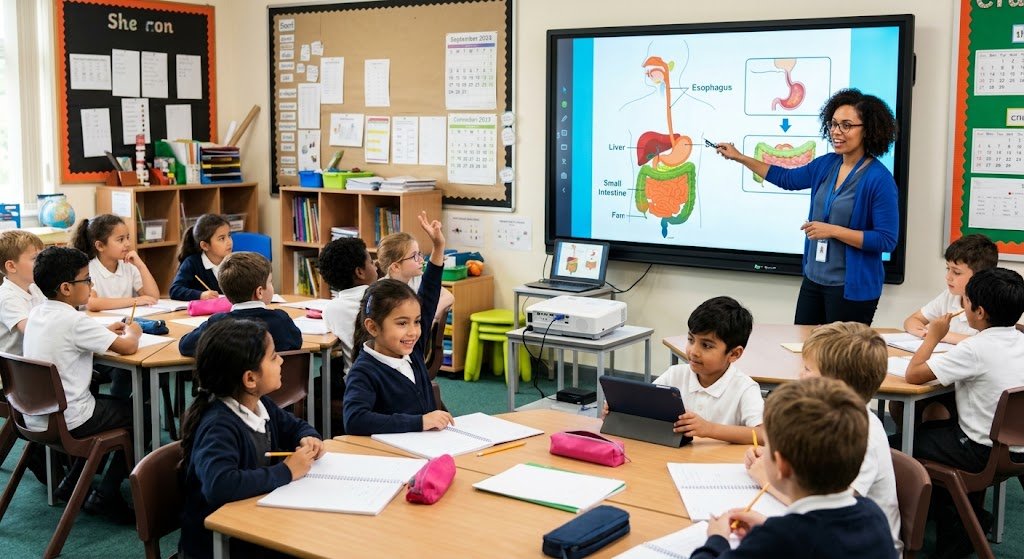
Digital Classrooms and Smart Boards is an educational setting that supports teaching and learning through the use of digital devices, internet connection, instructional software, and interactive displays. Digital Classrooms and Smart Boards can use films, presentations, online resources, animations, and interactive exercises in addition to textbooks, chalkboards, and printed worksheets to supplement traditional teaching methods. This method helps professors explain complex concepts through visual examples and provides students with other options to investigate a subject. For example, a science instructor can describe how food passes through the body, focus in on certain organs, and show the human digestive system on a screen. While an English instructor might show a reading passage and emphasize key terminology, a math teacher can walk students through a challenging equation step-by-step. Digital Classrooms and Smart Boards is not necessary for every school to have state-of-the-art equipment or for every student to have an expensive computer in order to use digital classrooms. When used properly, a single computer, a projector, and appropriate teaching materials can increase student engagement in the classroom.
Key Features of a Digital Classroom
Digital Classrooms and Smart Boards are Interactive displays, PCs, tablets, educational apps, digital learning resources, and communication and evaluation tools are the primary components of a digital classroom. Additionally, some classes use video conferencing software, learning management systems, cloud storage, and online tests. Teachers can use these tools to plan courses, assign homework, and give students more opportunity to learn. For instance, a teacher may provide a presentation prior to class, go over its main ideas during the session, and then give students a digital test to gage their comprehension. Instead of relying solely on handwritten notes, students can review authorized learning resources at home. Digital Classrooms and Smart Boards platforms can also be used by schools to track students’ development and interact with parents. But rather than taking center stage, technology should help achieve educational objectives. Clear explanations, appropriate learning exercises, insightful feedback, and chances for students to ask questions are still necessary for a well-designed session. The most successful digital classrooms and smart boards mix the ease of contemporary technology with the individualized support and direction of skilled educators.
What Is a Smart Board?
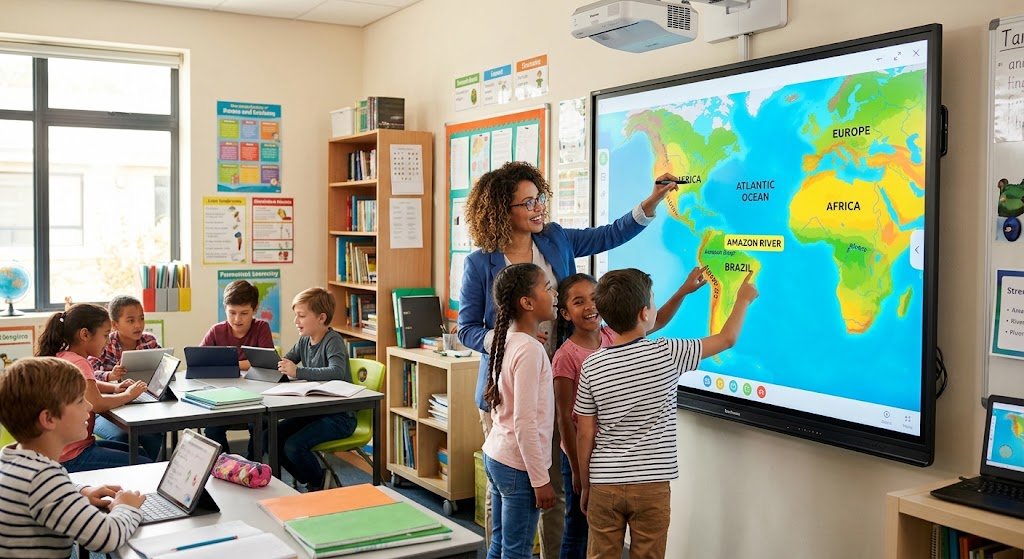
Teachers and students can present, write, sketch, and engage with digital classrooms and smart boards learning materials using a smart board, which is an interactive display or electronic whiteboard. Users may use their fingers, a special pen, or other compatible input devices to control the board, depending on the model. These days, a lot of interactive displays can run instructional apps, show presentations, link to PCs and tablets, and display webpages or movies. A Digital Classrooms and Smart Boards can integrate text, images, sound, movement, and interactive activities on a single screen, in contrast to a conventional chalkboard. Consider using a static map on a wall to teach geography. Imagine now presenting an interactive map that allows pupils to analyze various landforms, identify rivers, and zoom in on countries. The second method allows students to engage directly with the content, which can facilitate exploration of the lesson. Schools, colleges, universities, training facilities, and other educational settings employ smart boards. The quality of the material, the teacher’s preparation, and how well the activities fit the requirements of the students all affect how effective they are.
How Interactive Smart Boards Work
A display or projection system, touch-sensitive technology, and software that lets users manipulate digital classrooms and smart boards content are typically used in interactive digital classrooms and smart boards. While some systems have built-in processing power, others are linked to a computer. Without switching between several teaching tools, a teacher might begin a presentation, comment an image, write a formula, move objects around the screen, or launch an educational application. Teachers may keep their notes and distribute them to students following the class, depending on the program. This can be especially helpful when demonstrating a series of stages that students need to review later or when explaining complex computations. Additionally, some monitors provide wireless screen sharing, which enables a teacher or student to show content from a device that is compatible.
7 Benefits of Digital Classrooms and Smart Boards
- More Interactive Lessons
The ability to transform lessons into interactive learning experiences is one of the most beneficial features of smart boards and digital classrooms. Students may spend a large portion of their time copying information from the board and listening to explanations in a regular classroom. With the use of digital classrooms and smart boards, educators can incorporate interactive questions, visual aids, demonstrations, and student-involved activities. In the course of a math class ,For instance, students can alter numerical values to observe how a graph reacts or manipulate shapes on a smart board to learn geometry. Through interactive exercises, they can practice vocabulary, recognize grammatical faults, and organize words into phrases in a language lesson. Instead than just memorizing definitions, these exercises allow students to apply concepts.
- Better Student Engagement
Teachers frequently struggle to maintain students’ interest, especially when a subject involves complex vocabulary or abstract concepts. By combining text, graphics, audio, video, and hands-on demonstrations, digital classrooms and smart boards tools can help overcome this difficulty. A history instructor might, for instance, present a clip from a historical documentary, show a timeline, and ask students to determine the reasons and effects of an event. An animation in science can show a procedure that would be challenging to see firsthand in a classroom. Additionally, digital classrooms and smart boards can facilitate quick tests, surveys in the classroom, and group projects that motivate students to participate .classrooms and smart boards Because they provide students additional chances to react and engage with the course material, these strategies might help them stay focused.
- Easier Access to Learning Materials
Teachers can more easily arrange and display a range of learning tools in digital classrooms. A teacher can use smart boards and digital classrooms textbooks, slideshows, diagrams, instructional videos, internet articles, and subject-specific software in place of creating each example on paper. When appropriate, these materials can be shared with students via a classrooms and smart boards platform and shown on a smart board. If the school has the required infrastructure and authorization, recorded explanations and saved notes could assist students catch up if they miss a course. Additionally, when a curriculum or subject changes, digital resources are easier to update than printed ones. Before an exam, digital classrooms and smart boards can prepare multiple versions of a worksheet, offer more examples, or distribute review materials.
- Improved Collaboration
classrooms and smart boards are because students frequently learn by debating concepts, working together to solve difficulties, and sharing their logic with others, collaboration is a crucial component of education. There are many ways to assist these activities in digital classrooms. A shared mind map, group presentation, class survey, or problem-solving activity that multiple students participate in during a lecture can all be shown on a digital classrooms and smart boards. An environmental science group might, for instance, draw a diagram illustrating the effects of pollution on human health, animals, water, and air. While the teacher relates each student’s explanation to the primary theme, each student can explain a portion of the diagram. Students can complete group projects outside of the classroom with the use of digital documents and appropriate learning systems. In addition to reviewing contributions and providing feedback, digital classrooms and smart boards can assist groups in maintaining organization. These exercises promote critical thinking, creativity, teamwork, and communication.
- Support for Different Learning Styles and Needs
Not every student comprehends material in the same way or at the same rate. While some people benefit from diagrams and demonstrations, others require written explanations, practice, debate, or more time to comprehend a concept. The same educational content can be accessed in a variety of ways thanks to digital classrooms and smart boards. A teacher may use a written description, a labeled figure, a brief video, and spoken explanations to describe a scientific process. In order to satisfy the learning objectives of the lesson, students can use the combination that best supports their comprehension. Accessibility features could include text-to-speech, captions, screen magnification, text-to-speech, text-size adjustments, and other ways to interact with content, depending on the software and devices available. Additionally, classrooms and smart boards are teachers can offer guided practice for students who require additional guidance and extension projects for students who are prepared for more difficult work.
- Faster Feedback and Assessment
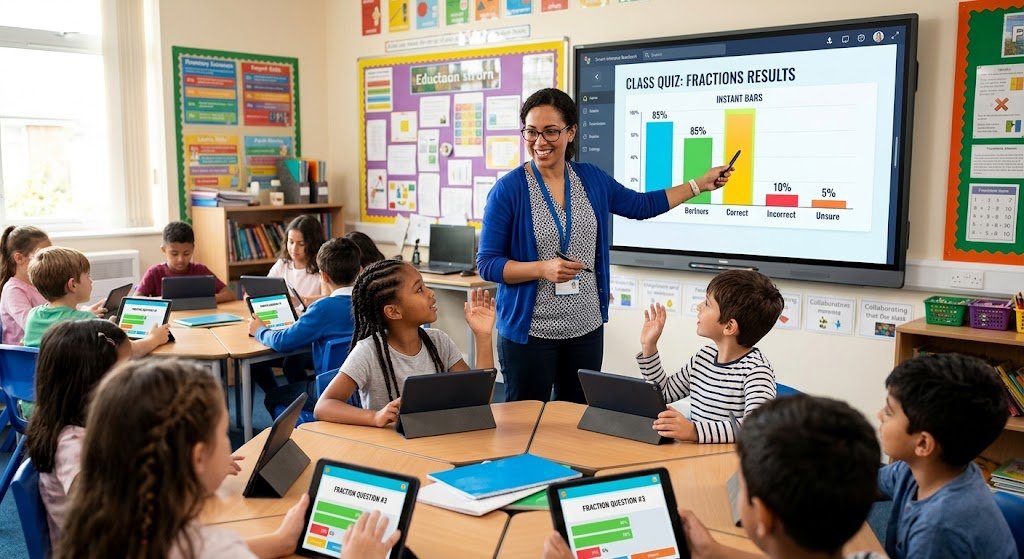
Certain sorts of evaluation can be completed more quickly and easily with the use of smart boards and digital classrooms technologies. To determine if students have understood a lesson, teachers can employ online tests, multiple-choice questions, surveys, and educational apps. Teachers can discover areas that need more explanation by using certain systems that automatically mark objective questions and show results right away. For instance, classrooms and smart boards teacher can go over the idea again before moving on to a more challenging task if a large number of students provide erroneous answers to a fractions question. Additionally, teachers can use digital classrooms and smart boards to clarify common errors, show proper techniques, and go over answers with the entire class. Depending on the platform being used, tracking progress over time may be simpler using digital evaluation data. However, automatic scores don’t provide a complete picture. A student may choose the right response by speculating or find it difficult to articulate the logic behind it.
- More Flexible Teaching
Teachers have more alternatives when it comes to creating digital classrooms and smart boards and tailoring explanations to the requirements of their pupils in smart boards and digital classrooms. Without starting from scratch, a teacher can save a presentation, repurpose a diagram, amend an example, or create more practice questions. During a lecture, teachers can switch between a presentation, a website, a video, and handwritten annotations using smart boards. When a student poses an unexpected question or the class requires another explanation of a challenging idea, this can be helpful. Blended learning, which combines classroom instruction with online activities, can also be supported by digital materials. For instance, after reading a brief lesson at home, students could use class time to discuss examples, solve problems, and pose questions. Additionally, some schools might use video conferencing to facilitate learning during brief disturbances or to connect students with guest speakers.
Common Uses of Smart Boards in Education
Teachers can write equations, create graphs, illustrate geometric constructions, and work through difficulties step-by-step. In science, they can show schematics of the water cycle, electrical circuits, solar systems, and cells. Language instructors can do spelling exercises, analyze sentence patterns, comment reading passages, and highlight terminology. Maps, satellite photos, and diagrams can be used in geography classes to describe nations, climates, and physical characteristics. Students may organize events and study how societies evolve over time with the use of interactive timelines and historical photographs
Additionally, group presentations, brainstorming sessions, class discussions, and formative evaluations can all benefit from the utilization of smart boards. Students can organize material into categories, label diagrams, present projects, and explain their solutions to peers. digital classrooms and smart boards content can be used by teachers to introduce a lesson, direct practice, and conclude with a summary of the key ideas. Activities that ask students to reflect, react, and apply what they have learned are the most effective. A classrooms and smart boards shouldn’t just be used as a bigger screen to show slides with a lot of content. Instructors should make use of its interactive elements when they actually enhance comprehension and maintain curriculum-focused activities.
Digital Classroom Technology for Different Subjects
Different combinations of smart boards and digital classrooms tools are beneficial for different disciplines. Students can investigate links between numbers, forms, and equations in mathematics with the aid of interactive geometry tools and graphing software. In research, processes that are too little, too big, too quick, or too hazardous to see firsthand can be shown using simulations and animations. Digital dictionaries, reading materials, captioning, and writing programs can help with vocabulary growth and communication in English and other language courses. While history teachers might utilize timelines, photos, and primary-source materials, geography teachers can employ maps and satellite imagery. In computer science, students can use appropriate software to practice technical skills, analyze code, and follow programming demos.
Challenges of Using Smart Boards
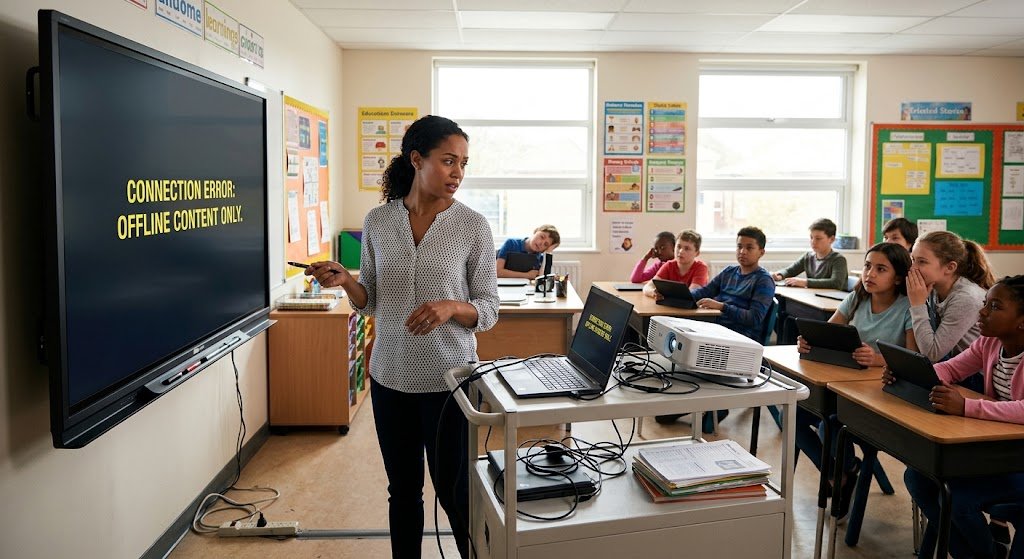
Despite the many benefits of smart boards and digital classrooms, schools may encounter practical difficulties when using them. Interactive screens, PCs, installation, software, and peripherals can be expensive at first, especially for schools with tight budgets. In addition, equipment may need maintenance, software upgrades, technical assistance, and eventually replacement .Another issue is dependable internet and electricity, particularly in places with uneven infrastructure. A connection issue might disrupt instruction and waste important class time if a lesson relies only on an online resource.
Equally crucial is teacher preparation. Even though a display has a lot of functions, if teachers don’t know how to use them properly, learning won’t instantly improve. Animations, games, and irrelevant websites may divert certain students. Others may find it challenging to access digital classrooms and smart boards resources due to connectivity issues, limited device access, or disability. Practical teacher development, unambiguous classroom policies, easily accessible curriculum, technical assistance, and reasonable budgeting should all be used by schools to address these problems .In the event that technology fails, educators should have offline options ready, such as printed worksheets or downloaded presentations. Attention should also be paid to student privacy and cybersecurity, particularly when digital platforms gather personal data. In addition to lowering these hazards, careful preparation guaranties that digital classrooms and smart boards instruments enhance instruction rather than erect needless obstacles.
How to Create an Effective Digital Classroom
Knowing exactly what students need to learn is the first step in developing an efficient digital classrooms and smart boards. Schools should determine their teaching objectives, assess the resources at their disposal, and select equipment that complements their curriculum and financial constraints. The newest technology is not necessary for a digital classrooms and smart boards to become more productive. A good place to start can be with a dependable computer, an appropriate display, prepared educational materials, and a qualified instructor. School administrators should compare products, verify compatibility with current equipment, examine warranty terms, and project maintenance costs before purchasing a smart board. Classroom lighting, viewing angles, display size, and accessibility for students who might want extra help should all be taken into account.
The Future of Digital Classrooms
classrooms and smart boards more integration of interactive displays, cloud-based learning resources, accessibility technologies, and artificial intelligence is probably in store for the future of digital classrooms. Features that assist teachers in creating tests, organizing resources, and offering practice exercises are already available on some educational platforms. Although their correctness and appropriateness need to be verified, AI-supported learning technologies might assist in customizing tasks or providing students with more explanations. Teachers and students may find it simpler to exchange content from compatible devices with wireless presentation systems. These advancements may make it easier to plan lessons and give students more assistance.
Conclusion
Smart boards and digital classrooms are important components of contemporary educational technology because they provide teachers with more options to arrange learning materials, engage students, explain topics, and gage comprehension. Through collaborative activities and visual demonstrations, interactive displays can facilitate the exploration of mathematics, science, language, geography, and other disciplines. Additionally, digital platforms can facilitate flexible learning, give teachers access to educational materials, and assist them in providing fast feedback. But rather than relying solely on technology, these advantages require careful application. Schools require dependable technology, qualified instructors, easily accessible resources, technical assistance, and strategies for kids with restricted access to digital classrooms and smart boards devices. Additionally, they have to make sure that screens don’t interfere with effective learning and safeguard students’ privacy. digital classrooms and smart boards can enhance traditional instruction and provide students more chances to actively participate in their education when schools select appropriate resources and use them to meet specific learning objectives.