
Introduction
In today’s digital world, technology plays an important role in education, business, offices, and professional communication. People use different digital tools to prepare documents, manage information, create presentations, store files, and communicate with others. These applications are commonly known as formal productivity tools.
Thank you for reading this post, don't forget to subscribe!Basic formal productivity tools help individuals and organizations complete their daily tasks efficiently. They reduce paperwork, save time, improve accuracy, and make teamwork easier.
One of the most popular platforms for digital productivity is Google Workspace, which provides several online applications, including Google Docs, Google Sheets, Google Slides, and Google Drive.
In this article, we will explore basic productivity tools, formal communication tools, and the major applications of Google Workspace.
1. What Are Basic Formal Productivity Tools?
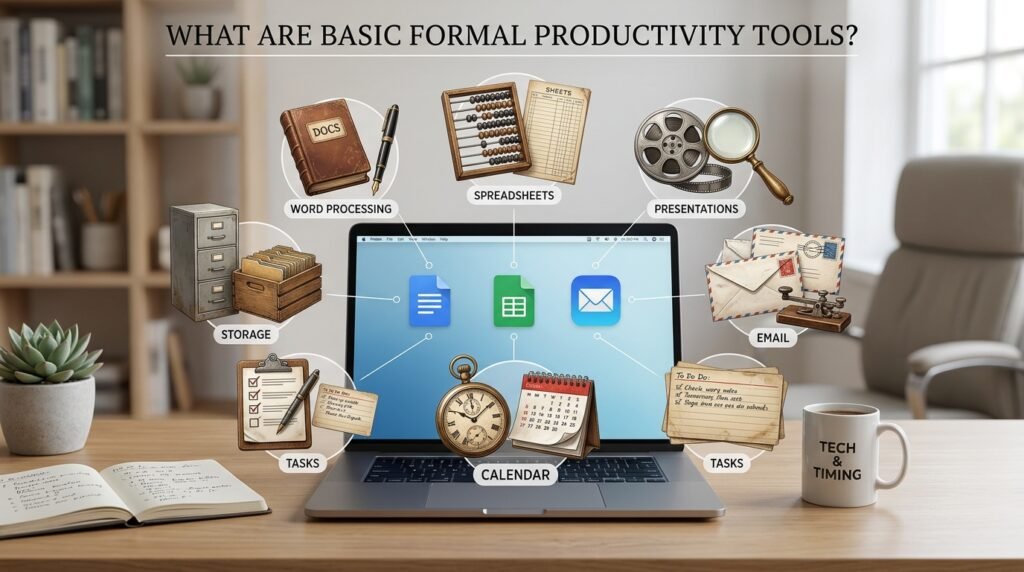
Basic formal productivity tools are digital applications used to perform professional, educational, administrative, and office-related tasks. They help users create, edit, organize, share, and manage information.
These formal productivity tools are widely used by students, teachers, healthcare professionals, office employees, business owners, and organizations.
Important Types of Productivity Tools
1. Word Processing Tools
Word processing applications help users create and edit written documents such as letters, reports, assignments, applications, and official notices.
Examples:
- Google Docs
- Microsoft Word
- LibreOffice Writer
2. Spreadsheet Tools
Spreadsheet applications are used to organize data, perform calculations, prepare budgets, and analyze information through rows, columns, formulas, and charts.
Examples:
- Google Sheets
- Microsoft Excel
- LibreOffice Calc
3. Presentation Tools
Presentation applications help users prepare professional slides containing text, pictures, charts, diagrams, and multimedia content.
Examples:
- Google Slides
- Microsoft PowerPoint
- LibreOffice Impress
4. File Storage and Management Tools
These applications allow users to save, organize, access, and share digital files online or through computer storage systems.
Examples:
- Google Drive
- Microsoft OneDrive
- Dropbox
2. What Are Formal Communication Tools?
Formal communication tools are digital platforms and applications used to exchange professional information in an organized and official manner.
They help people communicate with colleagues, teachers, students, customers, managers, and other organizations.
Formal communication is important because it ensures that information is shared clearly, professionally, and efficiently.
Examples of Formal Communication Tools
1. Email
Email is one of the most common methods of formal communication. It is used to send official messages, documents, meeting invitations, reports, and instructions.
Examples: Gmail, Outlook, and Yahoo Mail.
2. Video Conferencing Tools
These applications allow people to conduct online meetings, interviews, lectures, and discussions through audio and video.
Examples: Google Meet, Zoom, and Microsoft Teams.
3. Instant Messaging Platforms
Professional messaging applications allow teams to exchange information, discuss projects, and share files quickly.
Examples: Google Chat, Microsoft Teams, and Slack.
4. Online Document Sharing
Tools such as Google Drive allow users to share documents and collaborate with other people without sending multiple copies of the same file.
Benefits of Formal Communication Tools
- Save time and reduce communication delays.
- Improve professional communication.
- Support online meetings and discussions.
- Make document sharing easier.
- Maintain written records of important conversations.
- Support teamwork between people in different locations.
3. What Is Google Workspace?
Google Workspace is a collection of cloud-based productivity and collaboration applications developed by Google. It helps individuals, students, businesses, and organizations create documents, manage data, prepare presentations, communicate, and store files online.
Users can access Google Workspace applications through a web browser or supported mobile applications. Many features allow multiple users to work on the same file at the same time.
Google Workspace includes several useful applications, such as:
- Google Docs
- Google Sheets
- Google Slides
- Google Drive
- Gmail
- Google Meet
- Google Calendar
- Google Forms
The four essential productivity applications are explained below.
4. Google Docs: Online Word Processing Tool

When we discuss formal productivity tools, Google Docs is an online word processing application used to create, edit, format, and share written documents. It is similar to Microsoft Word but offers convenient cloud-based access and collaboration features.
Students can use Google Docs for assignments, teachers can prepare lesson plans, and office employees can create professional reports and official letters.
Main Features of Google Docs
1. Document Creation
Users can create new documents for assignments, applications, reports, letters, and other written materials.
2. Text Formatting
It provides options for changing font styles, font sizes, colors, headings, paragraph alignment, and spacing.
3. Real-Time Collaboration
Multiple users can work on the same document simultaneously. Changes can be viewed as collaborators edit the file.
4. Comments and Suggestions
Users can add comments, suggest corrections, and review other people’s work without directly changing the original text.
5. Automatic Saving
Documents are automatically saved to Google Drive when the user is online, reducing the risk of losing work.
6. Document Sharing
Users can share documents with others and control whether they can view, comment on, or edit them.
Uses of Google Docs
- Writing assignments and educational notes.
- Preparing official letters and reports.
- Creating meeting minutes.
- Writing research papers.
- Preparing business documents.
5. Google Sheets: Online Spreadsheet Tool

As we discussed about formal productivity tools, Google Sheets is an online spreadsheet application used to organize, calculate, analyze, and present data. It works with rows and columns, where users can enter text, numbers, dates, and formulas.
It is a useful tool for students, accountants, teachers, researchers, and business professionals.
Main Features of Google Sheets
1. Data Organization
Users can enter and organize information in rows and columns.
2. Mathematical Formulas
Google Sheets supports formulas for addition, subtraction, multiplication, division, averages, and other calculations.
3. Charts and Graphs
Users can convert numerical data into charts and graphs to make information easier to understand.
4. Data Sorting and Filtering
It allows users to arrange information and find specific records quickly.
5. Real-Time Collaboration
Multiple users can update and edit the same spreadsheet simultaneously.
6. Data Analysis
Functions, pivot tables, and other tools help users analyze large amounts of information.
Uses of Google Sheets
- Preparing monthly budgets.
- Maintaining student attendance records.
- Managing employee information.
- Calculating salaries and expenses.
- Preparing patient or inventory records.
- Analyzing business performance.
6. Google Slides: Online Presentation Tool

A formal productivity tool is Google Slides, which is an online presentation application used to create and deliver professional presentations. It allows users to combine text, images, charts, videos, shapes, and animations into organized slides.
It is particularly useful in educational institutions, offices, business meetings, and training sessions.
Main Features of Google Slides
1. Slide Creation
Users can create presentations using different layouts and templates.
2. Themes and Designs
It provides design themes, backgrounds, fonts, and formatting options to make presentations attractive.
3. Multimedia Integration
Users can insert images, videos, charts, diagrams, and other visual elements.
4. Animations and Transitions
Animations and slide transitions help make presentations more engaging.
5. Collaboration
Multiple users can create and edit a presentation together.
6. Online Sharing
Presentations can be shared through links, allowing others to view or edit them according to their permissions.
Uses of Google Slides
- Classroom lectures and student presentations.
- Business proposals.
- Training sessions.
- Project reports.
- Research presentations.
- Professional meetings.
7. Google Drive: Online File Storage and Management Tool

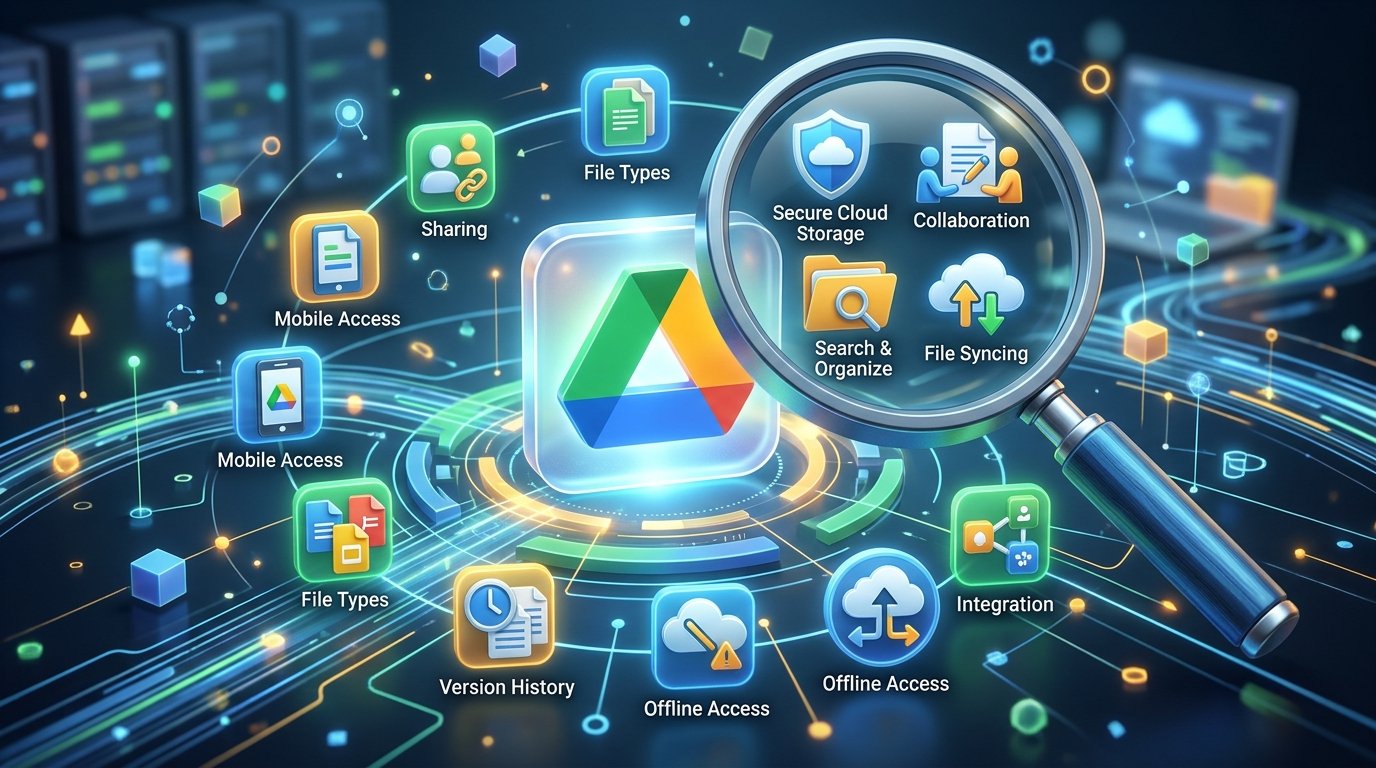
Google Drive is a set of formal productivity tools, which is a cloud-based storage service that allows users to save, organize, access, and share digital files through the internet.
Instead of keeping all files on a single computer or USB drive, users can store their documents, spreadsheets, presentations, photographs, and other files online.
Google Drive also provides easy access to Google Docs, Sheets, and Slides.
Main Features of Google Drive
1. Cloud Storage
Users can store different types of digital files online.
2. File Sharing
Files and folders can be shared with other users through links or email invitations.
3. File Organization
Users can create folders, rename files, and arrange documents according to their needs.
4. Access from Different Devices
Users can access their files through supported computers, tablets, and smartphones.
5. Collaboration
Google Drive makes it easier for teams to share and work on common documents.
6. File Recovery and Version History
Supported files offer version history and recovery options, helping users review or restore earlier versions when available.
7. Access Permissions
Users can control whether others can view, comment on, or edit shared files.
Uses of Google Drive
- Storing educational documents.
- Saving office reports and presentations.
- Sharing files with colleagues.
- Managing business documents.
- Keeping personal photographs and files.
- Accessing important documents from different devices.
8. Difference Between Google Docs, Sheets, Slides, and Drive
Although these four applications are part of the formal productivity tools, Google Workspace, each performs a different function.
| Application | Main Purpose | Common Use |
|---|---|---|
| Google Docs | Word processing | Letters and reports |
| Google Sheets | Spreadsheet management | Calculations and data |
| Google Slides | Presentation creation | Lectures and meetings |
| Google Drive | Cloud storage | Saving and sharing files |
9. Benefits of Using Google Workspace
Formal productivity tools: Google Workspace offers several benefits for education, business, and professional activities.
1. Easy Accessibility: Users can access their files from different devices with an internet connection.
2. Better Collaboration: Team members can work on the same documents, spreadsheets, and presentations.
3. Time Saving: Online editing, automatic saving, and sharing reduce unnecessary work.
4. Improved Productivity: Different applications support writing, calculations, presentations, and file management.
5. Cost-Effective Options: Google provides free personal access to many applications, while business and educational plans offer additional features.
6. Easy File Sharing: Documents can be shared without repeatedly sending attachments.
7. Cloud-Based Working: Users can continue their work from different locations without depending on one computer.
10. Practical Examples of Google Workspace in Daily Life
Google Workspace is useful in many professional and educational environments.
- In Education: Students prepare assignments in Google Docs, calculate results in Google Sheets, and present projects using Google Slides.
- In Healthcare: Healthcare teams can use authorized spreadsheets for administrative records, prepare reports in Google Docs, and share approved documents through Google Drive while following patient privacy and data protection requirements.
- In Business: Companies use Sheets for financial calculations, Docs for official reports, Slides for business presentations, and Drive for file storage.
- In Offices: Employees can prepare letters, maintain records, organize meetings, and share documents with colleagues.
Conclusion
Basic formal productivity tools are essential for modern education, business, and professional communication. They help users prepare documents, manage information, create presentations, and exchange data efficiently.
Google Workspace provides a convenient collection of cloud-based applications that support these activities. Google Docs is used for writing, Google Sheets for calculations and data management, Google Slides for presentations, and Google Drive for online file storage and sharing.
Learning these applications can improve digital literacy, communication skills, teamwork, and overall productivity. Whether you are a student, teacher, healthcare professional, or office employee, understanding Google Workspace is an important step toward becoming more confident in the digital world.
Frequently Asked Questions (FAQs)
1. What are basic formal productivity tools?
Basic formal productivity tools are digital applications used to create documents, manage data, prepare presentations, store files, and complete professional tasks.
2. What is Google Workspace?
Google Workspace is a collection of cloud-based applications developed by Google for communication, productivity, file storage, and collaboration.
3. What is the difference between Google Docs and Google Sheets?
Google Docs is mainly used to create and edit written documents, whereas Google Sheets is used to organize data, perform calculations, and create charts.
4. What is Google Slides used for?
Google Slides is used to create presentations containing text, images, charts, videos, and other visual elements.
5. What is Google Drive?
Google Drive is an online storage service that allows users to save, organize, access, and share digital files.
6. Are Google Workspace applications free?
Google offers free personal access to many Google applications. Additional business and organizational features are available through paid Google Workspace plans.
7. Why is Google Workspace important for students?
It helps students prepare assignments, organize information, create presentations, store educational materials, and collaborate on group projects.
8. Can multiple people work on the same Google document?
Yes. Multiple users can work on the same supported document simultaneously when they have the appropriate sharing permissions.
Final Thought: Learning formal productivity tools, Google Workspace applications, is an important digital skill that helps people work smarter, communicate professionally, and manage information effectively.