Introduction
AI Laptops: The Complete Guide to Modern AI-Powered Computers. Processors from the Qualcomm Snapdragon, Intel Core Ultra, and AMD Ryzen AI families are frequently found in contemporary Copilot+ PCs. Numerous qualifying systems offer NPU performance of at least 40 TOPS.
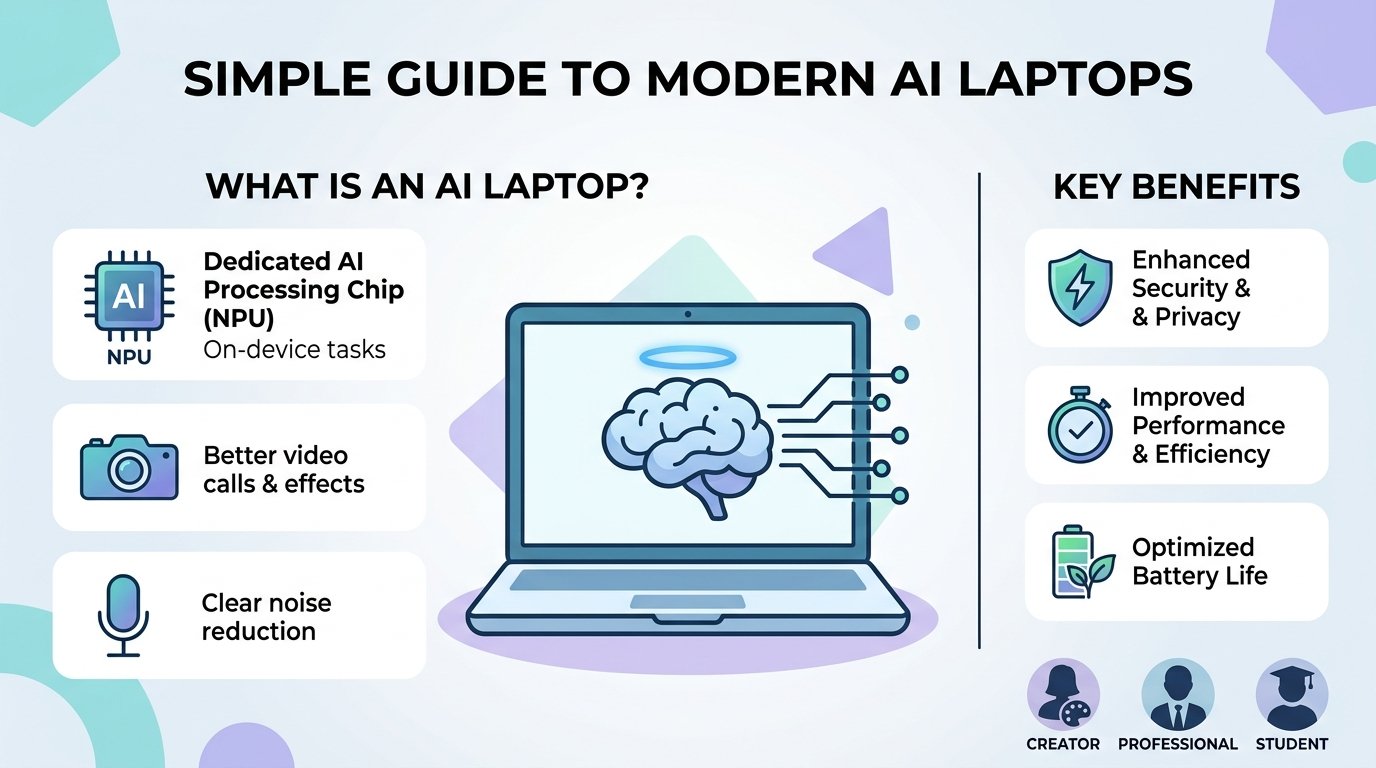
Thank you for reading this post, don't forget to subscribe!The main difference is often the presence of a Neural Processing Unit (NPU). An NPU is a specialized processor designed to accelerate certain artificial intelligence workloads while using less power than relying entirely on the CPU or GPU. Modern Copilot+ PCs commonly use processors from Qualcomm Snapdragon, Intel Core Ultra, and AMD Ryzen AI families. Many qualifying systems provide 40 TOPS or more of NPU performance.
What Is an AI Laptop?
An AI laptop is a computer equipped with hardware and software designed to perform AI-related tasks. A conventional laptop normally depends primarily on its CPU and GPU, while newer AI laptops can also use a dedicated NPU for supported workloads.
This A laptop may split up duties among several CPUs thanks to this arrangement. The GPU can handle graphics and demanding parallel workloads, the CPU can handle general computing, and the NPU can effectively process suitable AI operations.
Faster background effects during video conversations, speech recognition, live captioning, image enhancement, and other AI-assisted capabilities are all possible outcomes for users. For instance, Qualcomm touts AI-powered translation, image creation, enhanced video calls, and other on-device features for laptops with Snapdragon processors.
Why Are AI Laptops Becoming Popular?
One of the main reasons manufacturers are creating specialized AI computers is the increasing popularity of artificial intelligence. AI is being used more and more in writing, research, meetings, graphic design, photo editing, computing, teaching, and business.
Reducing the requirement to submit every task to a remote server can also be achieved by running some AI algorithms locally on the laptop. When working without a reliable internet connection or when users want specific processing to take place locally, this can be helpful.
Efficiency is another priority for modern AI laptops. Supported workloads can be delegated to the NPU rather than utilizing a strong CPU for all AI-related tasks. Performance, power consumption, and battery life may all be balanced with this strategy.
Main Features of AI Laptops
- Dedicated NPU
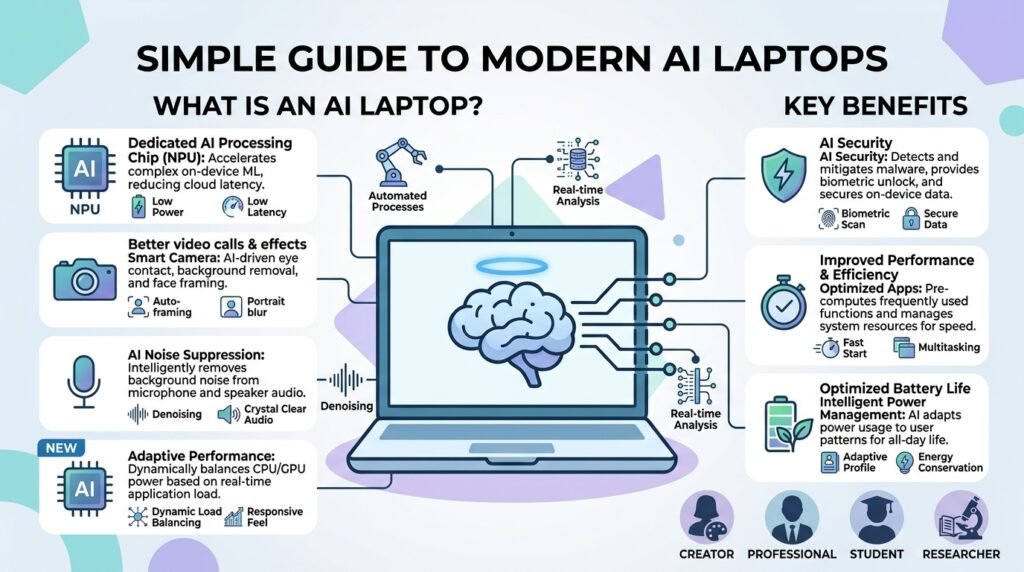
One of the key components of many contemporary AI laptops is the NPU. Neural-network workloads and other supporting AI processes are the focus of its design.
The benefit is that compatible AI features can function more effectively than they could if the CPU handled everything. But when selecting a laptop, NPU performance shouldn’t be the sole consideration. Performance of the processor, RAM, storage, display quality, battery life, and software compatibility are still crucial.
- AI-Assisted Productivity
AI computers can enhance daily productivity in a number of ways. Users may profit from intelligent meeting features, speech-to-text, translation, background removal, writing support, and other tools, depending on the operating system and applications.
Students, office workers, independent contractors, and those who frequently participate in online meetings may find these capabilities particularly helpful.
- Better Video Calls
Video conferences are becoming commonplace in both professional and educational settings. When the hardware and software are compatible, AI-powered laptops can offer capabilities like automatic framing, background effects, eye-contact help, and noise reduction.
Without the need for further accessories, these tools can improve the clarity and professionalism of online meetings.
- Longer Battery Life on Some Models
Although battery life varies significantly between laptops, efficiency plays a significant role in the design of contemporary AI-PCs. For instance, Snapdragon-based devices are promoted for their high efficiency and extended periods of unplugged use.
However, as real-world battery performance relies on the processor, display, brightness, workload, and laptop design, consumers should constantly verify independent battery tests.

Types of AI Laptops
AI Laptops for Students
AI laptops can be used by students for note-taking, research, writing, presentations, online learning, and productivity apps. Long study sessions may benefit from a lightweight design, a comfortable keyboard, a long battery life, and at least 16GB of RAM..
AI Laptops for Business
Business users frequently want dependable performance, robust security, powerful connection, and extended battery life. Meetings, communication, document work, and productivity can all be aided by AI elements.
AI Laptops for Creators
AI-assisted photo, video, and audio tools can help content producers. However, a laptop with a strong dedicated GPU can be a better option for demanding creative workloads than selecting a computer only on the basis of its NPU.
AI Gaming Laptops
Gaming laptops can combine AI-capable processors with powerful dedicated graphics. This makes them suitable for gaming, video editing, 3D applications, and demanding AI workloads.
For serious local AI development, GPU performance can remain more important than NPU performance because many demanding models and creative applications are designed to take advantage of powerful GPUs.
Popular AI Laptop Processor Platforms
Qualcomm Snapdragon X processors are used in many Windows laptops focused on efficiency and on-device AI. Snapdragon systems can offer strong battery performance, although buyers should consider Windows-on-ARM software compatibility for specialized applications.
Traditional CPU performance is combined with integrated graphics and an NPU in Intel Core Ultra processors. While maintaining the wide software compatibility of Windows x86 computers, more recent Intel AI-focused laptop architectures are made to accommodate local AI workloads.
Another significant choice is the AMD Ryzen AI processor. They mix dedicated AI acceleration, integrated graphics, and powerful CPU performance. Users who want a mix between efficiency and AI capabilities may find them appealing as a result.
AI Laptop vs. Traditional Laptop
The addition of specialized AI acceleration is the primary distinction between an AI laptop and a conventional laptop.
AI apps can still be used on a conventional laptop. For instance, without having an AI laptop, a user can utilize a web browser to access online AI services.
When suitable applications can utilize its local NPU or other AI hardware, an AI laptop becomes more helpful. Supported capabilities including real-time effects, transcribing, image processing, and other AI-assisted tasks may benefit from this.
What Should You Look for When Buying an AI Laptop?
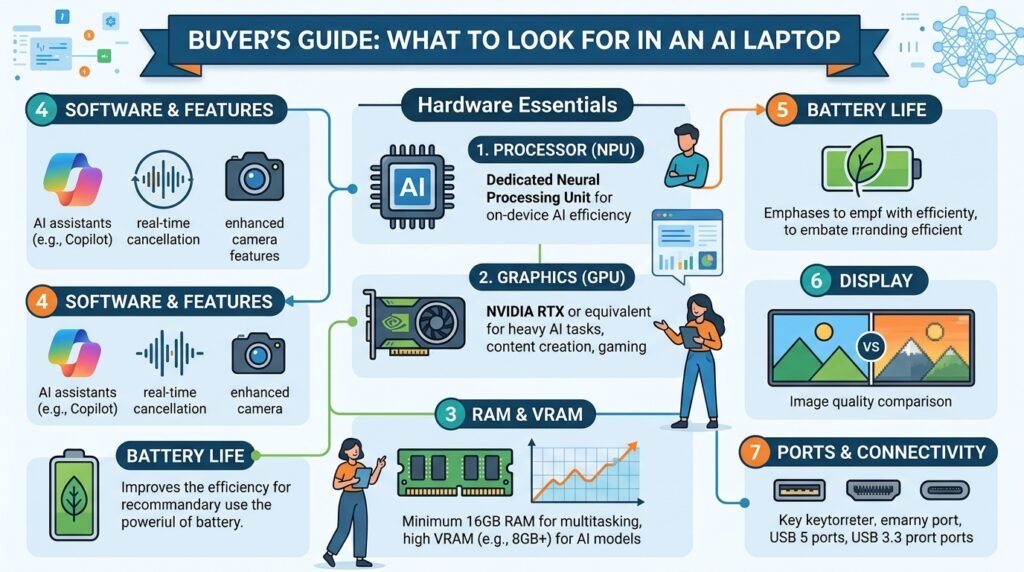
Processor
Select a contemporary processor that can handle your typical workload. Although useful, an NPU cannot take the place of a powerful CPU.
RAM
For many purchasers, 16GB of RAM is a reasonable starting point for modern Windows productivity and multitasking. 32GB or more may be advantageous for users working with demanding apps, development environments, or significant creative projects.
Storage
Compared to traditional hard disk technologies, an SSD offers quicker startup and program loading. For many users, a 512GB SSD is a sensible place to start, although makers and others who save massive files might choose 1TB or more.
Display
Everyday laptop use can be significantly improved with a high-quality display. Choose the brightness, resolution, color quality, and refresh rate that best fit your requirements.
Battery
Battery life should be a top priority if you work away from a power source on a regular basis. Independent testing can give you a more accurate picture of performance, so don’t just rely on what the company says.
Software Compatibility
For laptops with ARM-based CPUs, this is especially crucial. Some specialized apps, drivers, older programs, and games may still function differently from regular x86 Windows PCs, despite significant improvements in compatibility.
Advantages of AI Laptops
- AI workloads that are supported more quickly
- Acceleration of dedicated NPUs
- Practical on-device AI functions
- Enhanced video conferencing features
- Improved compatibility with contemporary productivity tools
- Potential gains in efficiency
- Assistance with new AI applications
- certain processor options for certain tasks.
Disadvantages of AI Laptops
AI laptops also have limitations.
First, an NPU is not necessary for every AI feature. Many well-known AI services are mostly cloud-based, so a typical laptop can use a browser to access them.
Second, improved overall performance is not always implied by the AI designation. A laptop with a strong processor, enough RAM, a good SSD, and a high-quality display might offer a better experience than a less powerful device that only promotes AI features.
Third, specialized Windows programs may not work with all ARM-based AI laptops. If buyers rely on older or professional software, they should verify compatibility before making a purchase.

Are AI Laptops Worth Buying?
Many users may find that an AI laptop is a wise long-term investment, particularly if they frequently utilize AI-powered accessibility, productivity, communication, or creative functions.
Nonetheless, the choice must to be founded on real needs. A person who mostly uses basic office software, views videos, and browses the web might not notice a significant difference between a good traditional laptop and an AI laptop.
Future of AI Laptops
As software gets better at utilizing specialized AI hardware, the market for AI laptops is probably going to keep growing. While manufacturers continue to enhance speed and efficiency, current platforms already integrate CPU, GPU, and NPU resources.
Conclusion
AI laptops are a significant advancement in personal computing. aioguides.com will guide you through the upcoming AI series. Their blend of cutting-edge CPUs, specialized NPUs, enhanced software, and AI-focused features can offer practical benefits for everyday computing, productivity, collaboration, and creativity.
But the laptop with the highest AI specification isn’t always the best. The entire package—processor performance, RAM, storage, display, battery life, software compatibility, and cost—should be taken into account by buyers.