Introduction
Accounting Software For companies, independent contractors, startups, and people who wish to effectively manage their funds, accounting software has become a necessary tool. In the past, a lot of firms tracked revenue and expenses using spreadsheets, calculators, and paper records. These conventional techniques could result in computation errors and frequently took a long time. Financial management is now simpler, quicker, and more structured thanks to accounting software.
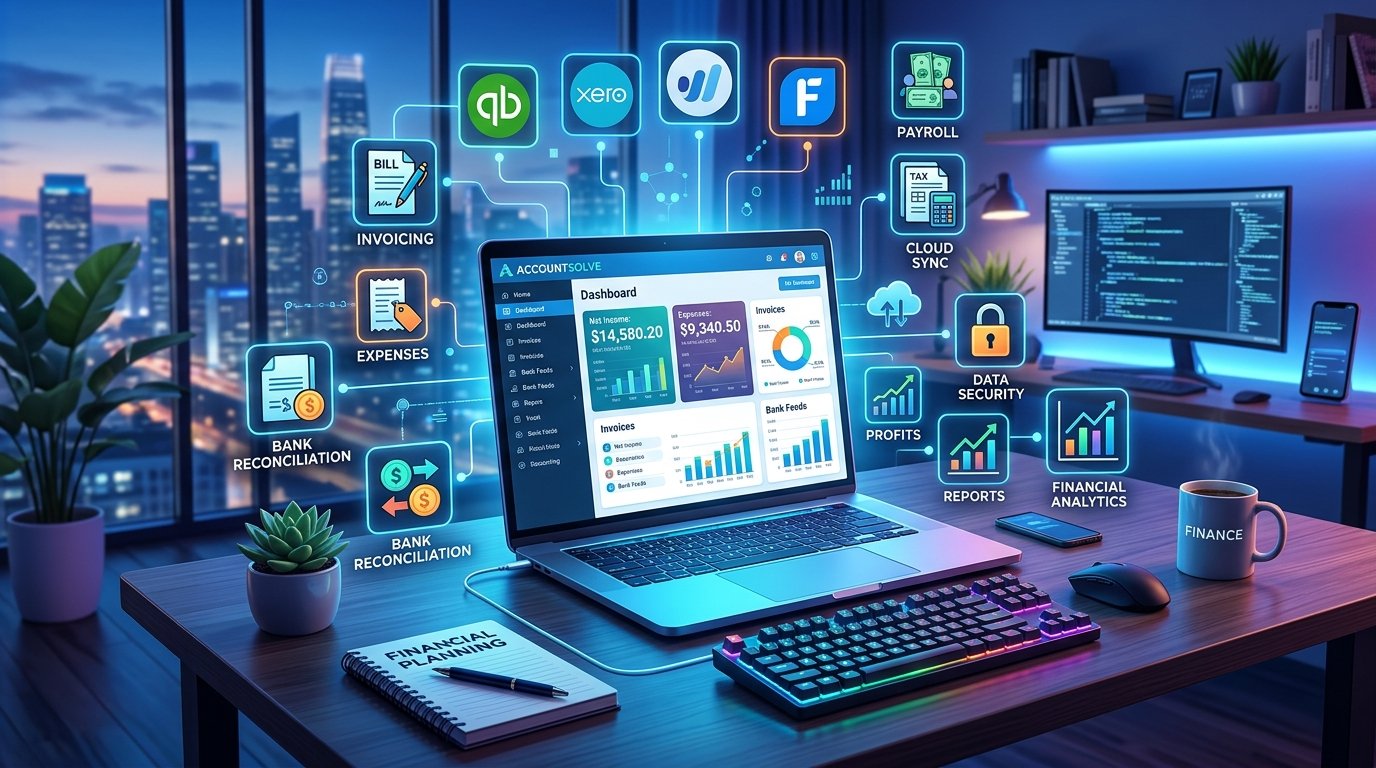
Thank you for reading this post, don't forget to subscribe!Accounting software may assist you with transaction recording, invoice creation, expense monitoring, and financial report preparation, regardless of whether you run a small business, run an internet store, or are a freelancer. Payroll, inventory control, tax computations, and bank reconciliation are also supported by certain programs.
You will discover what accounting software is, how it functions, its primary varieties, seven key advantages, necessary features, and how to select the best option for your requirements in this guide.
What Is Accounting Software?
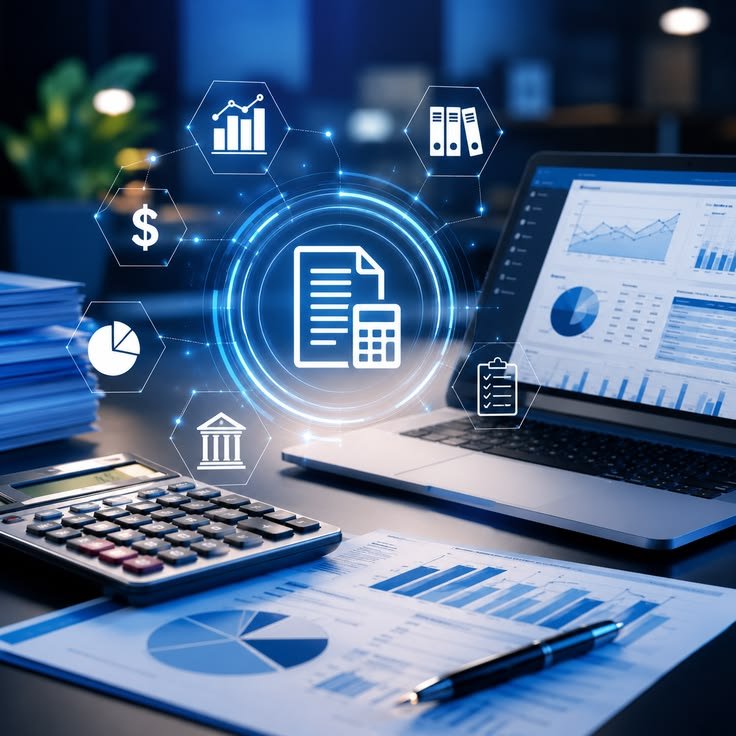
A computer program or web application used to record, arrange, compute, and manage financial data is called accounting software. It facilitates the tracking of money entering and leaving a business.
Users can enter transactions into accounting software and utilize its tools to organize the data rather than manually keeping track of every financial record. It may automatically compute totals, produce reports, send bills, and classify spending, depending on the program.
Accounting software, for instance, can be used by a small shop owner to track supplier payments, keep tabs on business spending, record daily sales, and assess if the company is profitable.
There are several types of accounting software, such as desktop programs, mobile apps, cloud-based apps, and specialist corporate solutions. While some systems offer sophisticated capabilities for accountants and large enterprises, others are made for novices.
7 Powerful Benefits of Accounting Software
- Saves Time and Improves Efficiency
The fact that accounting software shortens the time needed to complete standard financial chores is one of its greatest benefits. Writing transactions, computing totals, arranging receipts, and creating reports are all part of manual bookkeeping.
Many of these tasks can be automated by accounting software. It can create invoices, compute totals, input bank transactions, and provide financial summaries, depending on its characteristics.
This enables entrepreneurs to devote more time to enhancing their products, providing customer service, and growing their company rather than spending it on tedious administrative tasks.
- Improves Financial Accuracy
Making wise company decisions requires accurate financial data. Errors that impact tax preparation, reports, and budgets might result from manual calculations and duplicate entries.
By using consistent formulas and methodically structuring transactions, accounting software helps avoid a number of frequent calculation errors.
Software, however, cannot ensure that every record is accurate. Users still have to review transactions, submit correct data, and fix errors as they arise.
- Makes Expense Tracking Easier
Supplies, equipment, rent, payroll, transportation, marketing, and other operational costs are all common expenses for businesses.
Understanding where the money is going might become challenging in the absence of a well-organized structure.
Accounting software enables users to evaluate spending over various time periods and classify expenses. Additionally, bank feeds, expenditure reports, and receipt attachments are supported by certain programs.
These features make it easier for business owners to manage budgets, spot wasteful spending, and gain a better understanding of their financial situation.
- Simplifies Invoicing and Payments
Manually creating invoices can take a lot of time, especially for independent contractors and companies with a large clientele.
Invoicing tools that enable users to create expert invoices with client information, product descriptions, prices, taxes, and terms of payment are frequently included in accounting software.
Certain programs have the ability to manage outstanding balances, send bills via email, and remind users to make payments.
After finishing a project, for instance, a freelance graphic designer might use the software to issue an invoice and track if the client has paid.
- Provides Useful Financial Reports
Financial reports help business owners understand how their organizations are performing.
Accounting software can generate reports such as:
Profit and loss statements
Balance sheets
Cash flow statements
Expense summaries
Accounts receivable reports
Accounts payable reports
These reports help users understand revenue, expenses, assets, liabilities, and cash availability.
Regularly reviewing financial reports can help a business identify potential problems early and make better decisions about spending, pricing, and expansion.
- Supports Tax Preparation
When records are fragmented or missing, it might be difficult to prepare financial information for tax purposes.
Income, spending, invoices, and other financial transactions can be arranged with the aid of accounting software. It may also compute applicable taxes or produce reports that assist with filing taxes, depending on the product and nation.
Companies should select software that complies with local tax regulations. For instance, businesses operating in Pakistan might have to take into account the applicable Federal Board of Revenue regulations and pertinent sales tax laws.
Although software can make recordkeeping easier, users should double-check tax figures and consult an expert when needed.
- Helps Businesses Make Better Decisions
Reliable financial data is the foundation for more successful business decisions.
Revenue, expenses, outstanding invoices, cash flow, and profitability are all summarized by accounting software. Owners can use this data to assess if their company is operating as planned.
For instance, a company may find that a certain product has high running expenses despite good sales. After that, the owner might examine marketing plans, supplier costs, and pricing.
Better planning, budgeting, and long-term business success are supported by timely access to financial data.
Types of Accounting Software
Different businesses have different accounting requirements. Understanding the main types of accounting software can help you select the right option.
- Cloud-Based Accounting Software
Users can access financial data from compatible devices by using cloud-based accounting software, which operates via the internet.
Numerous cloud services provide bank connectors, online invoicing, automatic backups, and collaborative tools.
Freelancers, remote teams, and small organizations who wish to access records from several locations will find this kind of software especially helpful.
Users should, however, take into account the provider’s backup rules, data security, membership rates, and internet availability.
- Desktop Accounting Software
Financial data may be locally stored using desktop accounting software that is installed on a computer.
Businesses who need certain capabilities that operate offline or that prefer to manage records on their own computers may find it appropriate.
Users may need to handle security, upgrades, backups, and access rights on their own, depending on the product.
For businesses that don’t require a lot of remote collaboration, desktop applications may be a sensible option.
- Small Business Accounting Software
Small business accounting software is made to assist business owners in handling routine financial duties without the need for a high level of accounting expertise.
Tracking income and expenses, billing, financial reports, bank reconciliation, and client data are typical functions.
Payroll connectivity, tax-related capabilities, and inventory monitoring are other products.
Small firms should take their industry, transaction volume, budget, and growth goals into account when choosing software.
- Enterprise Accounting Software
Enterprise accounting software supports the complex financial needs of larger organizations.
It may include advanced reporting, multi-currency transactions, multiple business entities, approval workflows, and integrations with other business systems.
These programs can support large volumes of transactions and help different departments work with consistent financial information.
However, enterprise solutions may require greater investment, staff training, and technical support.

- Industry-Specific Accounting Software
Some accounting programs are designed for particular industries, such as construction, retail, healthcare, hospitality, or professional services.
A construction company, for example, may need project costing and job profitability reports. A retail business may prioritize inventory tracking and sales integration.
Industry-specific software can provide specialized tools that general-purpose accounting programs may not offer.
Essential Features of Accounting Software
Before choosing accounting software, it is important to understand the features that make financial management easier.
Income and Expense Tracking
This feature records money received and money spent. It helps users organize transactions and review business spending.
Invoice Creation
Invoicing tools help users prepare, send, and track customer bills. Some systems also provide payment reminders and recurring invoices.
Financial Reporting
Reporting features provide summaries of financial performance, including profit, expenses, cash flow, assets, and liabilities.
Bank Reconciliation
Bank reconciliation helps users compare accounting records with bank statements to identify missing transactions, duplicate entries, and differences in balances.
Tax Management
Some accounting applications support tax calculations, tax summaries, and the preparation of records needed for tax returns. Availability varies by country and product.
Payroll Management
Payroll features can help calculate employee payments, maintain salary records, and manage deductions. In some programs, payroll is offered as an additional service.
Inventory Management
Inventory features help businesses track products, quantities, purchases, and sales. This can be especially useful for retailers and wholesalers.
Data Security
Financial records contain confidential business information. Look for appropriate access controls, encryption, secure authentication, reliable backups, and clear data-handling policies.
Popular Accounting Software Examples
Several accounting platforms are available for different types of users. The most suitable choice depends on your location, business requirements, and budget.
QuickBooks
QuickBooks offers accounting tools for businesses, including invoicing, expense tracking, financial reports, and other features that vary by product and subscription.
It may suit businesses seeking a broad accounting platform, provided the selected version supports their local requirements.
Xero
Xero is a cloud-based accounting platform that provides tools for financial reporting, invoicing, bank reconciliation, and business accounting.
It can be useful for businesses that want to manage financial information online and collaborate with accountants.
Zoho Books
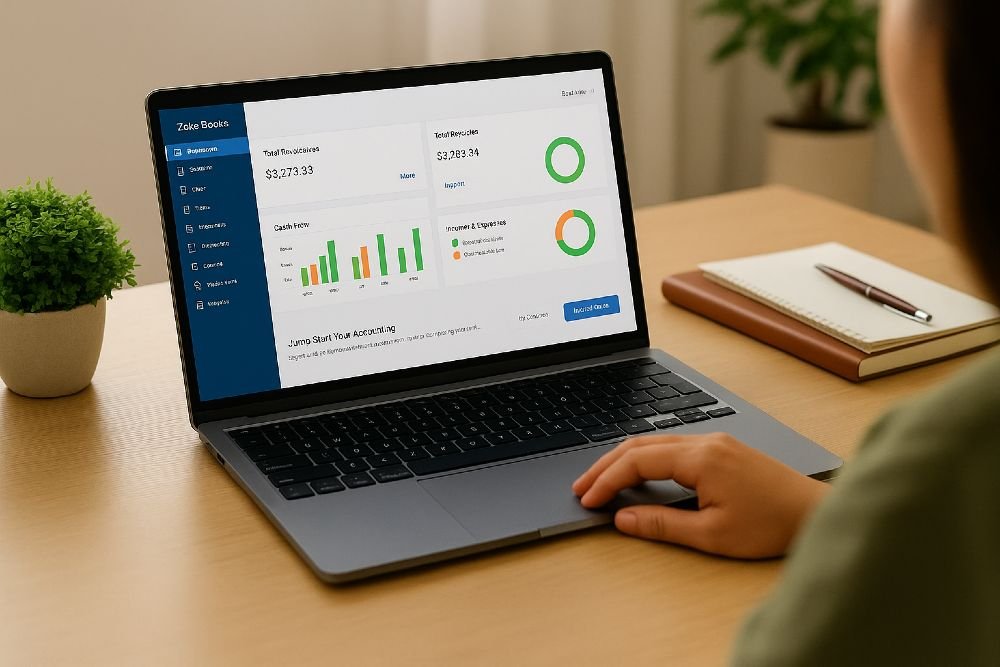
Zoho Books offers accounting features such as invoicing, expense management, transaction tracking, and financial reporting.
It may be worth considering for businesses that want accounting tools within a broader business software environment.
FreshBooks
FreshBooks focuses on invoicing, expense tracking, and financial management for freelancers and service-based businesses.
Its suitability depends on the features required, subscription price, and local availability.
Wave
Wave provides financial management tools for eligible small businesses and independent professionals. Available features, pricing, and service availability can vary by location and product offering.
Important: Compare current pricing, supported countries, tax features, bank integrations, and available plans before choosing any accounting platform.
How to Choose the Best Accounting Software
Selecting accounting software requires more than comparing popular brands. You should consider the actual needs of your business.
- Identify Your Business Requirements
Start by listing the financial tasks you need to manage. You may only need expense tracking and invoicing, or you may require payroll, inventory, project costing, and advanced reports.
Choose software that addresses your current needs without unnecessary complexity.
- Set a Realistic Budget
Accounting software may be available through free plans, one-time purchases, or monthly and annual subscriptions.
Consider the total cost, including additional users, payroll services, integrations, training, and support.
A free program may be sufficient for basic recordkeeping, while a growing business may benefit from paid features.
- Check Ease of Use
A simple interface can reduce the time needed to learn the software.
Look for clear dashboards, easy transaction entry, understandable reports, and useful help resources.
If possible, try a free trial or demonstration before making a commitment.

- Review Security and Backup Options
Check how the provider protects financial information and whether the software supports secure logins, access permissions, and data backups.
For desktop applications, understand how to create and restore backups. For cloud services, review the provider’s security and data recovery policies.
- Check Compatibility and Integrations
Your accounting software may need to connect with your bank, payment processor, online store, payroll service, or customer management system.
Confirm that the integrations you need are supported in your country and subscription plan.
- Consider Future Growth
A suitable accounting solution should be able to accommodate your expected business growth.
Consider whether it can support additional users, higher transaction volumes, new locations, multiple currencies, or more advanced reporting.
Choosing a scalable solution can reduce the need to change systems later.
Accounting Software for Small Businesses
Small businesses often need a practical way to manage financial records without spending excessive time on bookkeeping.
Accounting software can help a small shop record sales, a freelancer issue invoices, or an online seller monitor expenses.
For a new business, basic features such as transaction recording, expense categorization, invoicing, and financial reports may be sufficient.
As the business grows, additional features such as inventory management, payroll, automated bank feeds, and advanced reporting may become more valuable.
Small business owners should also maintain supporting documents, review their records regularly, and keep business and personal transactions separate whenever possible.
The best accounting software is not necessarily the program with the greatest number of features. It is the one that provides the right tools at a reasonable cost and fits the business’s accounting processes.

Common Accounting Software Mistakes to Avoid
Although accounting software simplifies financial management, users can still make mistakes.
Entering incorrect information: Wrong transaction amounts or dates can affect financial reports. Review entries carefully.
Ignoring bank reconciliation: Regular reconciliation helps identify discrepancies between bank records and accounting data.
Failing to back up data: Follow a reliable backup process and understand how records can be restored.
Choosing software without checking tax requirements: Verify that the software supports the applicable tax rules and reporting requirements in your country.
Buying unnecessary features: Select a plan based on real business needs instead of paying for tools you will not use.
Neglecting security: Use strong passwords, enable multi-factor authentication where available, and restrict access to authorized users.
Failing to review reports: Accounting software is most useful when business owners regularly examine financial results and act on the information.
The Future of Accounting Software
Accounting software continues to develop as businesses adopt cloud services, automation, mobile applications, and artificial intelligence.
Automation can reduce repetitive work by importing transactions, categorizing expenses, matching records, and generating routine reports.
Artificial intelligence may help identify unusual transactions, summarize financial information, or assist with forecasting. These capabilities vary between platforms and should be reviewed carefully before relying on them.
Cloud technology also supports collaboration between business owners, employees, and accounting professionals.
However, technology does not eliminate the need for financial judgment. Human review remains important for complex transactions, compliance, tax decisions, and correcting inaccurate records.
In the future, businesses are likely to continue seeking accounting systems that combine ease of use, reliable reporting, secure data management, and useful automation.
Frequently Asked Questions
What is accounting software used for?
Accounting software is used to record financial transactions, track income and expenses, prepare invoices, reconcile bank accounts, and generate financial reports.
Is accounting software suitable for beginners?
Yes. Many accounting programs are designed for beginners and small businesses. Users can start with basic features and learn more advanced functions as their needs develop.
Can I use accounting software for free?
Yes. Some providers offer free accounting tools or limited free plans. Check which features are included, whether restrictions apply, and whether the service is available in your country.
Which accounting software is best for small businesses?
The best option depends on your budget, location, business size, and required features. Compare options such as QuickBooks, Xero, Zoho Books, FreshBooks, and Wave based on your specific needs.
Is cloud accounting software better than desktop software?
Cloud software can offer easier remote access and collaboration. Desktop software may suit users who prefer locally installed applications or need particular offline capabilities. Neither option is automatically best for every business.
Does accounting software replace an accountant?
Not completely. Accounting software automates many routine tasks, but accountants can provide professional judgment, financial planning, tax advice, and assistance with complex accounting matters.
Conclusion
Accounting software is a valuable technology for businesses that want to organize financial information, reduce repetitive work, track expenses, and make better financial decisions.
Its benefits include improved efficiency, more consistent calculations, easier invoicing, useful financial reports, and support for tax preparation. Different options are available for freelancers, small businesses, large organizations, and specialized industries.
To choose the right accounting software, evaluate your requirements, budget, security needs, integrations, and local tax obligations. Start with essential features and upgrade when your business needs become more complex.
With the right software and regular financial reviews, businesses can maintain better records, understand their financial performance, and build a stronger foundation for sustainable growth.