-
What Is Educational Software and Apps? Definition of Educational SoftwareHow Educational Apps WorkWhy Educational Software Is ImportantBenefits for StudentsBenefits for Teachers- 7 Popular Types of Educational Software and Apps
- Learning Management Systems
- Online Learning Apps
- Educational Games and Quiz Apps
- Digital Classroom Software
- Best Uses of Educational Software
- Supporting Remote Learning
- Improving Homework and Assignments
- How to Choose Educational Software
- Challenges of Educational Apps
- The Future of Educational Software and Apps
- Conclusion
What Is Educational Software and Apps?
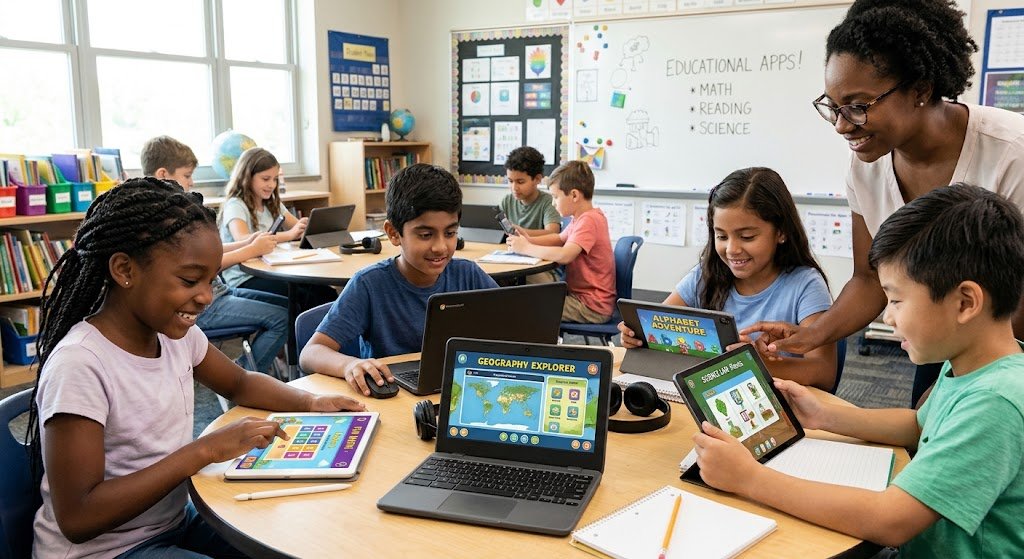
Educational Software and Apps tools called educational software and apps are made to assist individuals in teaching, learning, practicing skills, finishing tasks, and organizing educational activities. They are compatible with tablets, smartphones, laptops, and PCs. While some solutions support entire courses, classroom communication, exams, and student progress tracking, others concentrate on particular disciplines like science, math, and languages. Students’ access to information has been altered by educational technology. In the past, students mostly relied on printed notes, lectures in the classroom, and textbooks. They can now participate in virtual classrooms, see video sessions, do interactive activities, and get immediate feedback via digital apps.
Definition of Educational Software
Computer applications and digital platforms designed for educational purposes are referred to as educational software. Educational Software and Apps programs could assist instructors with lesson planning, student management, quiz creation, course organization, and academic performance evaluation. Educational software can be accessible via a web browser or installed on a device. While some apps don’t require an internet connection, some do. Learning management systems, presentation tools, digital libraries, instructional games, and online assessment platforms are a few examples. Enhancing the organization, accessibility, effectiveness, and interactivity of teaching and learning is the main objective of educational software. But how well it fits kids’ needs and how well teachers and students use it will determine how successful it is.
How Educational Apps Work
The typical operation of a learning app could be as follows:
- Create an account: If the app requires an account, teachers or students must register.
- Select a subject: Students pick a course, subject, or ability.
- Access educational resources: The app offers exercises, text, videos, slideshows, and other stuff.
- Practice and engage: Students finish tests, homework, or interactive exercises.
- Get feedback: Certain applications display progress reports, scores, and explanations.
- Evaluate progress: Students can pinpoint their areas of strength and areas that require additional effort.
Why Educational Software Is Important
Educational Software and Apps Because technology provides more ways to organize learning and convey information, educational software has grown to be a significant component of contemporary education. Students can review lessons at their own pace, and teachers can integrate digital resources with traditional instruction.
When students require flexible timetables, additional practice, or access to learning materials outside of the classroom, these services are especially helpful. Additionally, they can facilitate communication between parents, instructors, and kids.
However, rather than taking the place of all aspects of the learning process, software should enhance effective instruction. Human supervision, dialog, critical thinking, and practical exercises are still crucial.
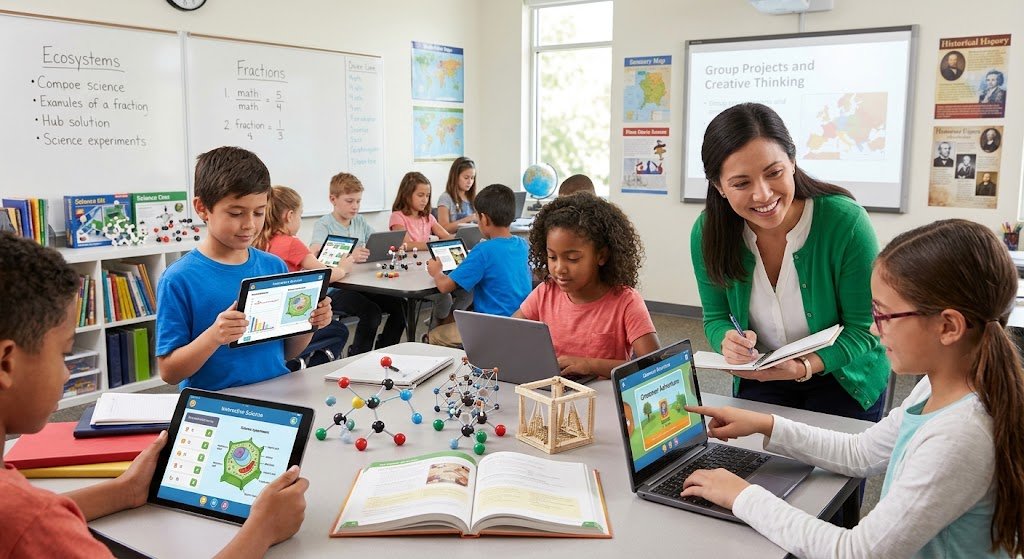
Benefits for Students
- Adaptable education
Depending on the platform and their internet access, students can access a variety of digital lessons at convenient times. - Independent study:
Students can spend more time on complex subjects and repeat demanding lessons. - Interactive exercises
Practice can be made more interesting by using educational games, flashcards, simulations, and quizzes. - Brief comments: Certain applications assist pupils identify errors by offering instant explanations or answers.
- Greater availability of resources
Students can access instructional resources outside of the traditional classroom through digital libraries and learning platforms. - Improved planning
Students can manage deadlines with the use of calendar tools, assignment trackers, and reminder functions.
Benefits for Teachers
Educational Software and Apps are educational software allows teachers to convey knowledge in many ways, plan class activities, and save time.
Preparing the lesson:
Teachers can produce interactive learning materials, worksheets, and presentations with the aid of digital resources.
Management of assignments:
Instructors can use the internet to assign assignments and gather student submissions.
Evaluation:
Software for tests and quizzes can be used to assess students’ comprehension.
Monitoring progress:
Reports that display finished tasks and evaluation outcomes are offered by certain platforms.
Interaction:
Applications for the classroom can facilitate discussions, announcements, and feedback.
Sharing resources:
Instructors can provide their students with documents, videos, links, and other educational resources.
Teachers may be able to devote more time to student support and less time to tedious administrative tasks thanks to these capabilities. The software, the size of the class, and the way the school plans its events all affect how much time is saved.
7 Popular Types of Educational Software and Apps
Educational Software and Apps are various types of educational software. Schools and students should select tools based on their objectives, available devices, budget, and teaching requirements because each type has a distinct function.
- Systems for Learning Management
A digital platform for planning and delivering courses is called a learning management system (LMS). Teachers can use it to upload course materials, make assignments, administer tests, interact with students, and monitor student progress.
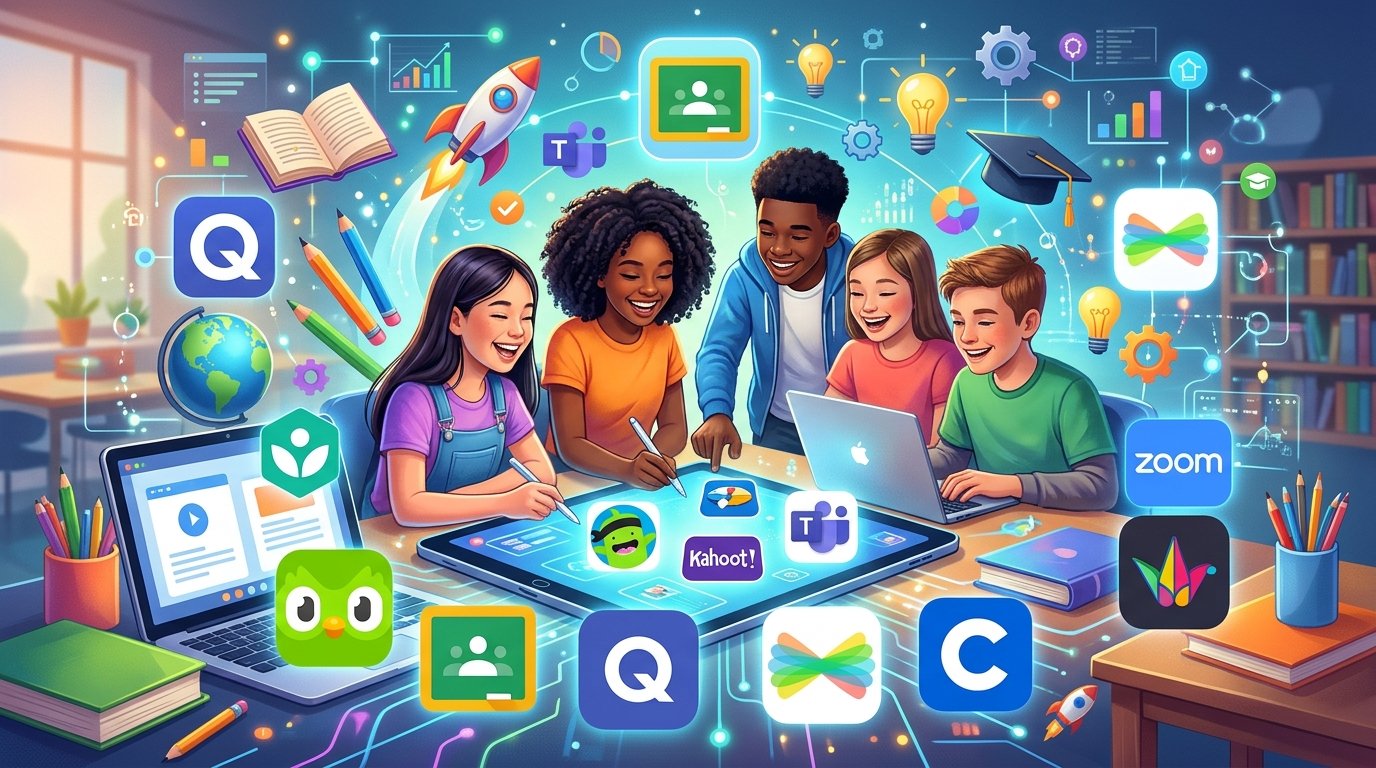
Canvas, Google Classroom, and Moodle are a few examples.
Educational Software and Apps are Schools, colleges, universities, and training organizations that require a central location for course material will find an LMS especially helpful. Without having to look through various messages or files, students may frequently access lesson instructions, deadlines, grades, and resources. - Online Learning Apps.
Students can use recorded films, live sessions, digital lessons, or interactive courses with online learning tools. They can enhance classroom learning and encourage independent study.
Coursera and Khan Academy are two examples.
Educational Software and Apps are platforms can assist students in honing their skills in a variety of topics, including science, math, computer programming, languages, and career development. While some courses are free, some could cost money or require a subscription.
- Educational Games and Quiz Apps
Practice is combined with challenges, questions, points, or incentives in educational games and quiz apps. They can motivate students to practice frequently and make review more interesting.
Teachers can use Kahoot! to make tests for the classroom, for instance. In an interactive style, students can respond to questions and assess their comprehension.
These resources can help with general knowledge, language acquisition, math practice, and exam review. Nonetheless, games ought to support specific learning goals. Rewards and high scores by themselves do not always indicate that students have mastered a subject.
- Digital Classroom Software
Educational Software and Apps can communicate with students via digital devices, share information, and give courses with the use of digital classroom software. Virtual whiteboards, presentations, announcements in the classroom, and group activities could all be included, depending on the platform.
Google Classroom and Microsoft Teams for Education are two examples.
Both physical schools and remote and hybrid learning environments can benefit from the usage of digital classroom technologies. Instructors can upload a worksheet online, post a presentation on a smart board, or invite students to participate in a group project.
Teachers can prepare, administer, and assess exams, quizzes, surveys, and other learning assessments with the aid of assessment software. While some programs facilitate more intricate grading processes, others automatically mark multiple-choice problems.
Educators should think about question styles, privacy, accessibility, reporting features, and curriculum support when selecting assessment software. Automated results should be read with caution, especially when assessing practical skills, inventiveness, or complicated writing.
- Language Learning Apps
Users can practice vocabulary, grammar, listening, reading, and occasionally speaking with the use of language learning applications. They frequently employ progress tracking, short classes, repetition, and pronunciation drills.
For instance, Duolingo uses brief exercises to offer systematic language practice.
These applications can help learners who require consistent practice or novices who wish to acquire fundamental language abilities. But an app by itself might not offer enough authentic dialog or cultural background. A more well-rounded learning experience can be achieved by combining digital exercises with speaking practice, reading, and listening to real content.
- Digital Library and Research Apps
Educational Software and Apps of digital library software can access academic papers, electronic books, reference materials, and other learning resources. While some providers offer academic articles or books in the public domain, others concentrate on textbooks. For solo study, assignments, and research projects, digital libraries might be helpful. Without constantly going to a real library, students can search for pertinent content, arrange sources, and review information. Users should verify that a source is trustworthy, up to date, and suitable for their task. They should also abide by copyright regulations, properly credit their sources, and refrain from stealing content without giving credit.
Best Uses of Educational Software and Apps
From daily schoolwork to professional training, educational software and apps can facilitate a variety of learning tasks. Its usefulness depends on selecting the appropriate application for the job and applying it in a way that promotes comprehension.
Supporting Remote Learning
Students who are unable to attend a traditional classroom can still study thanks to remote learning. educational software and apps digital textbooks, online assignments, discussion boards, recorded lectures, and virtual classes are all possible with educational apps.
A instructor can plan an online conversation, post notes to a learning platform, and distribute a recorded lesson. Pupils can work on tasks, ask questions, and review the lecture from home.
For students who have other scheduling obligations or reside far from educational institutions, this method can increase flexibility. However, when students don’t have dependable internet access, appropriate gadgets, a quiet study area, or prompt assistance from teachers, remote learning can be challenging.
By offering downloadable resources, flexible deadlines when necessary, technical assistance, and alternate methods of accessing instructional materials, schools can solve some of these issues.
Improving Homework and Assignments
Distributing, finishing, and reviewing homework can be made simpler with educational apps. Using a single platform, educational software and apps may post guidelines, include reference materials, establish due dates, and offer feedback.
Before turning in an assignment, students can use online tests to assess their comprehension, writing tools to arrange their thoughts, and math programs to practice calculations.
Students can also stay on top of impending deadlines by using digital assignment systems. Instead of depending solely on paper notes, students can look over their task lists and choose which assignments require priority.
How to Choose Educational Software and Apps.
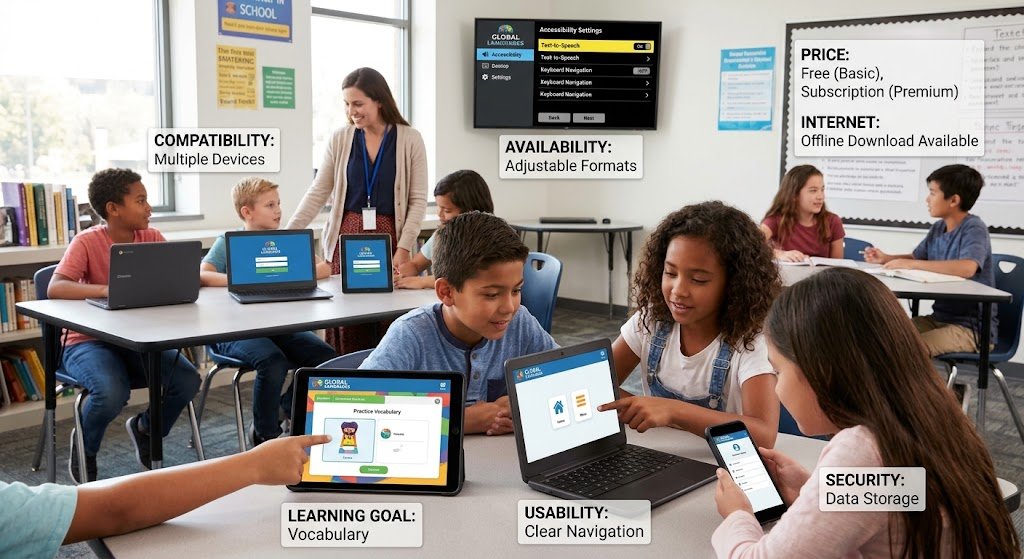
When selecting an educational software and apps, take into account the following aspects.
- Learning goals:
Decide what you want the software to do. For instance, a language app might be adequate for practicing vocabulary but not enough to handle a whole course. - Usability:
Select software that has easy-to-follow instructions and clear navigation. Learners may become sidetracked by complex tools. - Price:
Verify if the app is accessible through an institutional license, is subscription-based, or is free. Examine premium features before committing to a package. - Device compatibility
Verify sure the program is compatible with the computers, tablets, and cellphones that teachers and students have access to. - Internet prerequisites:
Find out if users may download resources for offline study or if the product requires a constant connection. - Security and privacy:
Examine how the program manages student accounts, permissions, personal data, and data storage. Children’s tools should receive special attention in schools. - Availability:
Look for features like text that can be adjusted, keyboard navigation, screen reader compatibility, captions, and other formats where necessary. - Assistance from teachers:
Think about how simple it is for teachers to design exercises, track students’ progress, and give comments. - Content quality:
Verify that the lessons are curriculum-aligned, age-appropriate, accurate, and well-organized. - Reporting progress:
Choose software that offers valuable information instead than just showing scores or time spent in the app if tracking is necessary.
Challenges of Educational Software and Apps
- Digital Divide
Not every student has access to inexpensive data, a current gadget, or a dependable internet connection. Assignments that rely solely on online resources may result in unequal learning chances.
By providing computer access, downloadable resources, printed alternatives, and flexible ways to finish assignments, schools can lessen this issue.
- Screen Time and Distractions
Notifications, gaming, social media, and irrelevant websites can divert students. Additionally, prolonged screen use can lessen possibilities for physical activity and cause eye strain. By establishing study intervals, planning breaks, and integrating digital activities with reading, discussion, outdoor activities, and hands-on learning, educators and parents can promote healthy routines.
- Privacy and Data Security
Information including names, email addresses, assignment results, and learning activities may be gathered by educational applications. Inadequate data practices may jeopardize pupils’ privacy.
Before using software, schools should examine security measures, account permissions, data gathering procedures, and privacy rules. Additionally, parents need to be aware of the data that an app gathers from younger students.
- Technical Problems
Lessons may be interrupted by old equipment, slow internet, software bugs, and login issues. Additionally, students who are not accustomed with digital platforms could require more assistance. These challenges can be lessened by offering fundamental training, technological assistance, unambiguous instructions, and backup learning resources.
- Overdependence on Technology
Learning might become challenging if you use too many programs. It’s possible that students spend more time using platforms than learning the material.
A reasonable amount of educational software and apps should be chosen by teachers, and each one should have a distinct function. Direct education, critical thinking, conversation, and hands-on work should all be enhanced by technology.
- Accuracy and Academic Integrity
Certain educational programs, particularly those with AI capabilities, may generate false information or wrong explanations. When something seems confusing, students should ask lecturers and verify significant assertions against credible sources. Acceptable uses of AI support should also be explained in schools, along with the significance of original work, appropriate citations, and comprehension of turned-in tasks.
The Future of Educational Software and Apps
Artificial Intelligence in Education
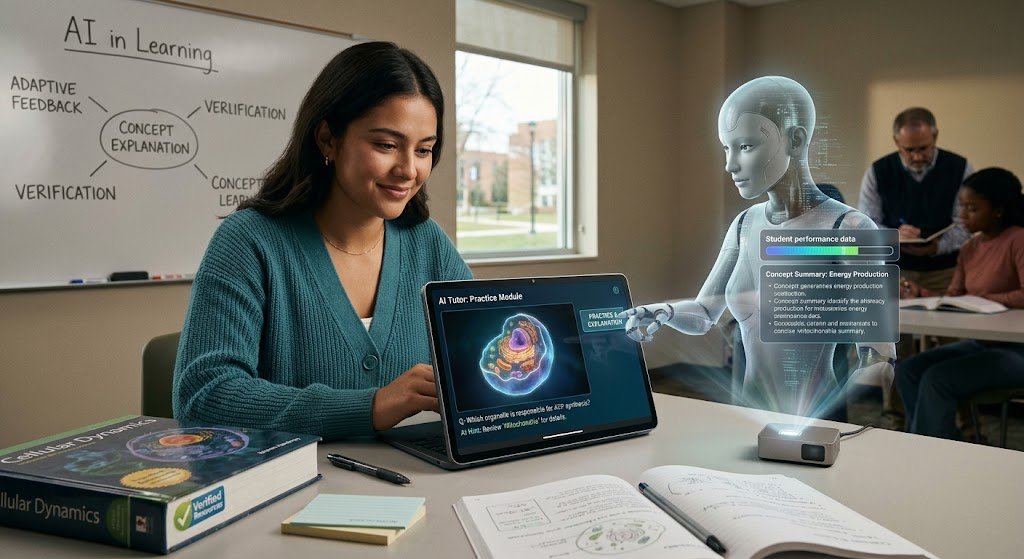
Practice questions, concept explanations, content summaries, and feedback are all possible with AI-powered educational apps. Certain systems modify tasks based on how well a student does. An AI instructor might, for instance, give a pupil more practice on a subject in which they consistently make mistakes. Although these tools can provide helpful assistance, their explanations still require verification. They shouldn’t take the role of autonomous thought or teacher assistance.
Personalized Learning
The goal of personalized learning educational software and apps is to tailor practice exercises, content, and difficulty to each user’s needs. While some students may be given more exercises, those who grasp a subject quickly may advance. This method can assist teachers in identifying learning gaps and offering more focused support when it is developed properly. Software recommendations, however, shouldn’t be interpreted as definitive assessments of a student’s aptitude.
Virtual Reality and Augmented Reality
Augmented reality (AR) and virtual reality (VR) can provide interactive ways to study educational subjects. Students can look at a three-dimensional model, see a complicated structure, or participate in a simulated science experiment. These tools can be useful for subjects that benefit from simulated practice and visual examples .educational software and apps design, accessibility, equipment costs, and whether the experience enhances comprehension all affect how beneficial they are.
Gamification and Interactive Learning
Gamification incorporates elements like challenges, achievements, points, and progress indicators to promote involvement. Simulations, group projects, and instant feedback are other features of interactive learning platforms. Meaningful learning should be the aim, not just point accumulation. Good activities link challenges and incentives to the knowledge or abilities that students are supposed to acquire.
Mobile and Offline Learning
Smartphones and tablets can access instructional information thanks to mobile learning programs. Students with spotty or limited internet connectivity might also benefit from offline functionality. Schools may have more chances to offer mobile-friendly assignments, downloadable courses, and adaptable study materials as these tools advance. Institutions will still have to take into account accessibility, privacy, device compatibility, and the caliber of educational resources.
Conclusion
educational software and apps
for education have developed into useful resources for contemporary teaching and learning. They facilitate students’ access to materials, skill development, assignment completion, and independent study. They can be used by educators to plan classes, evaluate student comprehension, distribute instructional resources, and interact with students. Learning management systems, educational games, online learning applications, digital classroom platforms, assessment tools, language educational software and apps, and digital libraries are popular choices. Selecting the appropriate tool is crucial because each type has a distinct function.