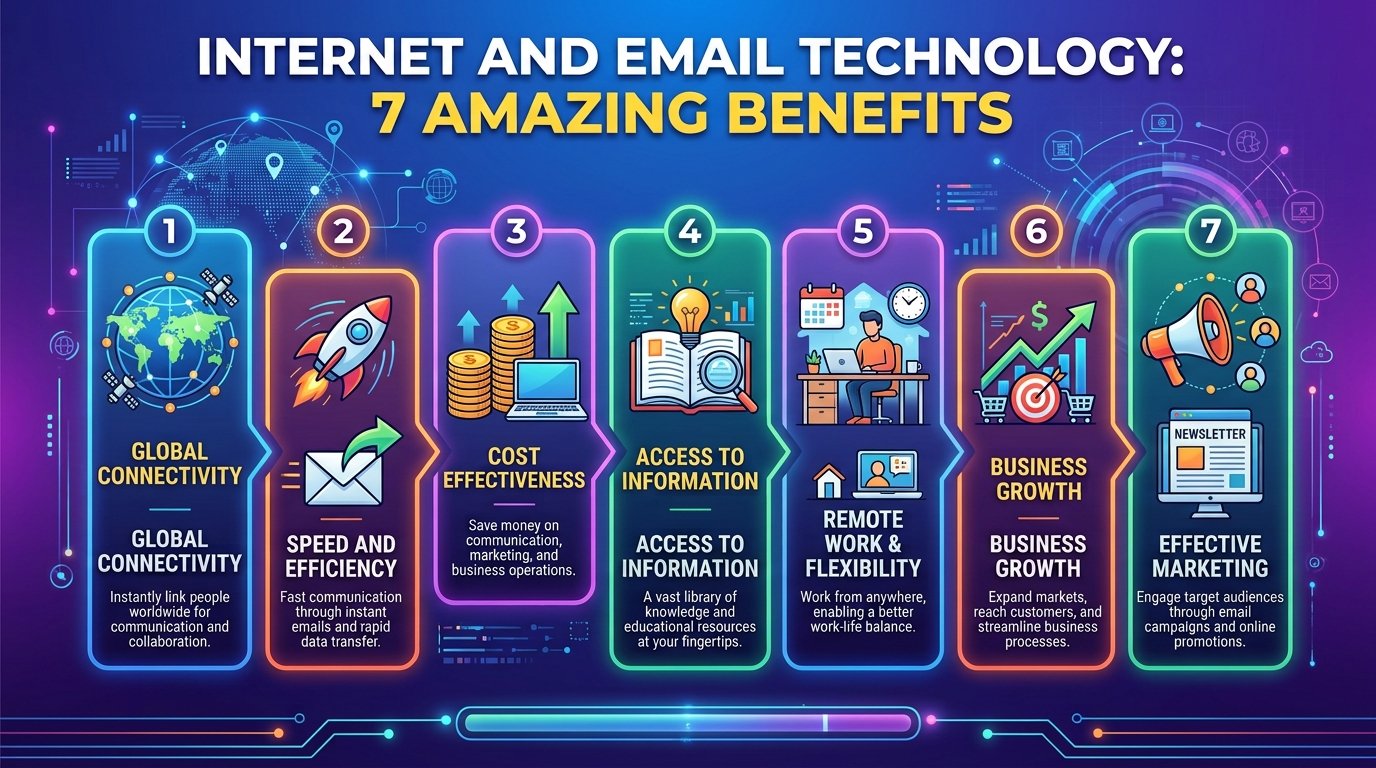

- What Are Internet Tools?
- Why Are Internet Tools Important?
- 10 Types of Useful Internet Tools
- 1. Search Engines
- 2. Web Browsers
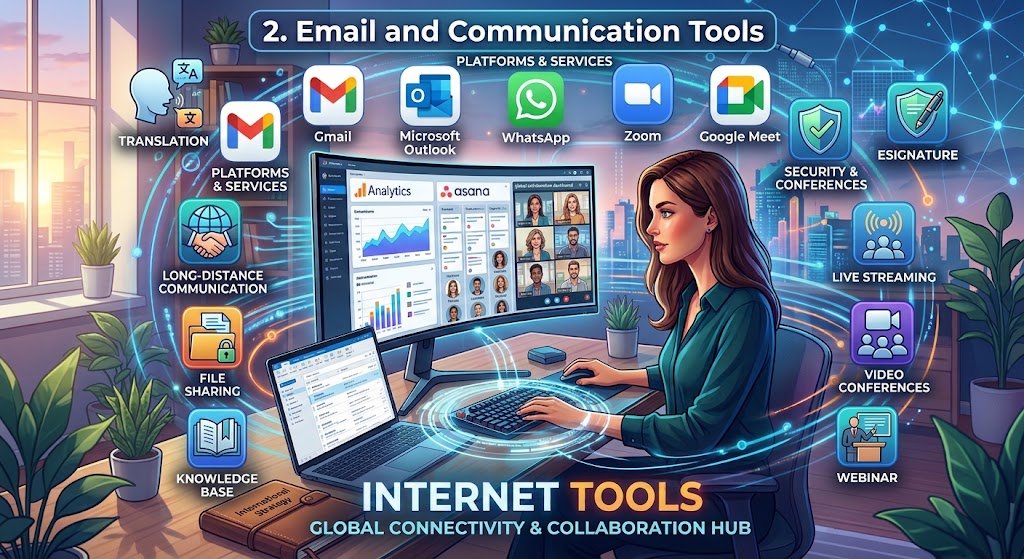
- 3. Email and Communication Tools
- 4. Online Learning Tools
- 5. Cloud Storage Tools
- 6. Online Productivity Tools
- 7. Online Writing and Grammar Tools
- 8. File Conversion and PDF Tools
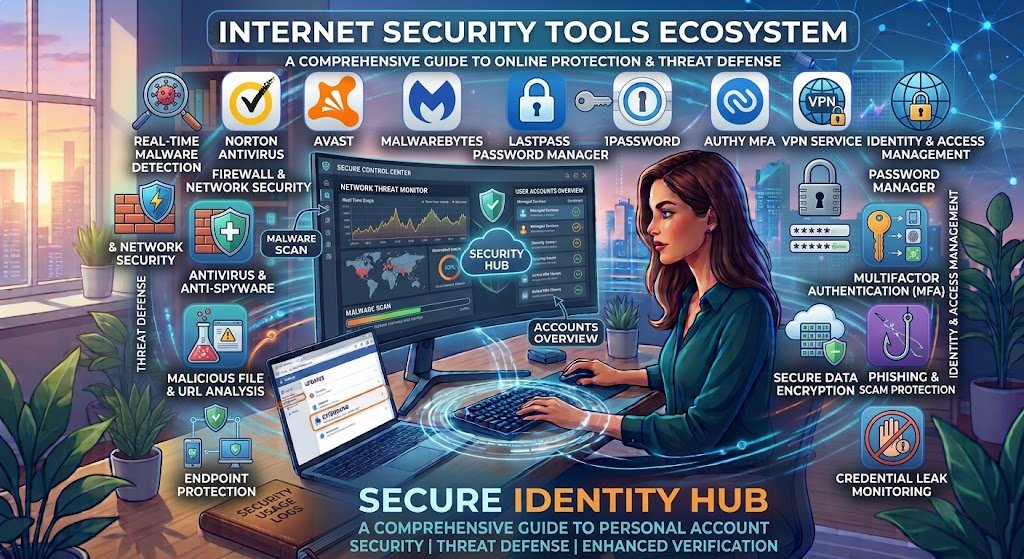
- 9. Internet Security Tools
- 10. Internet Speed Test Tools
- Benefits of Using Internet Tools
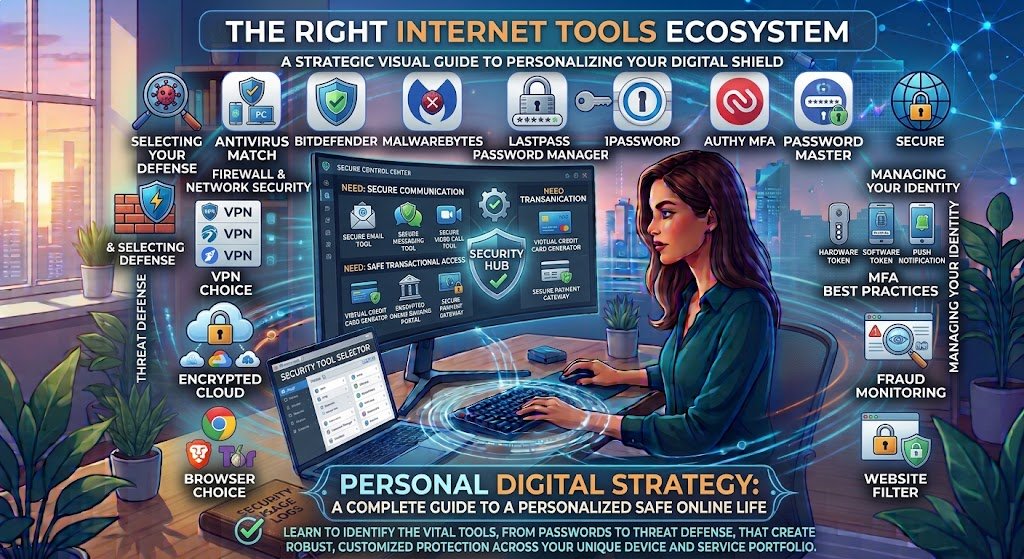
- How to Choose the Right Internet Tools
- Are Free Internet Tools Safe to Use?
- The Future of Internet Tools
- Conclusion
Frequently Asked Questions (FAQs)
What Are Internet Tools?
Internet Tools are Websites, apps, and online services that assist users in carrying out various tasks via an internet connection are known as internet tools. They facilitate information search, communication, document creation, learning new skills, file storage, and daily tasks. Users can accomplish activities without installing specialist software because many online tools operate simply through a web browser. Google Drive is used to save documents, Gmail is used to send emails, Google Search is used to search information, and Canva is used to create drawings.
Consider online resources as a digital toolset .Internet Tools users require multiple web services to accomplish particular activities, just as a mechanic utilizes various tools to fix a car. Teachers can create digital lessons, students can study on educational websites, and business owners can use internet tools to manage their workload. While some tools are totally free, others charge for more sophisticated capabilities while providing fundamental ones for free. You can select the services that best suit your requirements by knowing the function of each instrument.
Making digital activities simpler, quicker, and more accessible is the primary objective of online tools. The correct internet tools can help you reach your objectives, whether they want to increase productivity, learn new skills, or interact with people worldwide. Most of these services don’t require a high level of technical expertise to use.

Why Are Internet Tools Important?
Because internet tools are facilitate communication, education, business, research, and entertainment, internet tools are crucial. In the past, specific activities frequently required in-person meetings, tangible documents, or specialist software. Many of these tasks can now be completed online with a computer, tablet, or smartphone. For instance, a student doesn’t need to leave the house to conduct research, create an assignment, save it online, and present it to a teacher.
Additionally, businesses rely on online solutions for staff information sharing, project management, online meetings, and consumer communication. Online systems allow freelancers to prepare documents, manage clients, and deliver finished work. While students can access courses and educational resources from various locations, teachers can disseminate learning materials. Even when people are far apart, these tools enable them to collaborate.
The fact that many online tools are accessible and reasonably priced is another reason they are important. For those who cannot afford pricey software, free versions can offer helpful functionality. Internet tools should be carefully chosen, though, as not all services are trustworthy or safe. Effective internet use requires selecting reliable platforms and safeguarding personal data.
10 Types of Useful Internet Tools
- Search Engines
By entering keywords, queries, or phrases, search engines assist users in locating information on the internet. They arrange data from websites and present pertinent results, such as news, photographs, videos, maps, and webpages. Google Search, Microsoft Bing, and DuckDuckGo are a few well-known examples. Professionals gathering data, students conducting research for projects, and anyone seeking answers to common concerns can all benefit from these resources.
Use precise phrases that precisely describe what you need to achieve better search results. For instance, looking up “benefits of online learning for students” is a more targeted search than just “learning.” When conducting research on significant subjects, you should also examine several sources and verify publication dates. Although search engines facilitate the finding of information, they cannot ensure that every result is correct. Before utilizing information for an assignment, article, or business choice, always assess its quality and dependability.
- Web Browsers
Web browsers are software applications that allow users to visit websites and interact with online services. They display webpages, open multiple tabs, manage bookmarks, download files, and support extensions that add extra features. Common examples include Google Chrome, Mozilla Firefox, Microsoft Edge, and Apple Safari. Without web browsers, accessing many internet services would be much more difficult.
Features, performance levels, and privacy options vary among browsers. While some users value accessibility or privacy, others favor browsers that sync bookmarks across devices. The browser you choose will depend on your device and needs. Updating your browser is also crucial since it can address security flaws, enhance performance, and resolve issues. Steer clear of installing unknown extensions, particularly if they ask for needless access to your personal data.
- Email and Communication Tools
Long-distance communication, file sharing, and message exchange are all made possible by email and communication software. Gmail, Microsoft Outlook, WhatsApp, Zoom, and Google Meet are a few well-known examples. These services facilitate several types of communication, including file sharing, voice calls, video conferences, and textual messaging. They are extensively utilized in personal, professional, and educational contexts.
While employees can plan projects and interact with coworkers using email, students can use it to communicate with teachers and turn in assignments. Additionally, distant meetings are made feasible by video conferencing solutions, which eliminate the need for participants to travel to the same location. Write concise messages, arrange crucial emails, and select the best communication strategy for each circumstance in order to make the most of these services. Unusual attachments and dubious messages should be avoided as they can include malicious malware or phishing attempts.
- Online Learning Tools
Teachers and students can access educational information online with the aid of online learning technologies. Online courses, virtual classrooms, learning management systems, instructional websites, and interactive learning apps are some of these resources. Google Classroom, Coursera, and Khan Academy are a few examples. Depending on the platform, users can interact with teachers or classmates, view classes, finish exercises, and turn in assignments.
Flexibility is a key benefit of online learning resources. Students can frequently review challenging classes, study at their own pace, and delve into topics outside of their typical curriculum. Instructors can more effectively share resources and give feedback. Additionally, these technologies can assist students in acquiring digital skills that are valuable in today’s businesses. However, self-control, an appropriate gadget, and a dependable internet connection are necessary for successful online learning. While some platforms charge for courses, certificates, or advanced learning internet tools, others provide free lessons.
- Cloud Storage Tools
Cloud storage solutions enable users to store digital data on distant servers and retrieve them via the internet. Dropbox, Microsoft OneDrive, and Google Drive are well-known examples. Spreadsheets, presentations, papers, photos, and other information can all be stored via these services. Additionally, several offer collaboration tools and sharing choices that let multiple individuals work on the same papers.
Those that require access to their files from many devices or locations can benefit from cloud storage. An assignment, for instance, can be saved at home and opened at school at a later time. Companies don’t need to send numerous email attachments in order to exchange materials with team members. However, some functions require a paid membership, and free accounts typically have storage limits. Before sharing files, users should verify sharing permissions, use strong passwords to secure their accounts, and enable multifactor authentication when it is available.
- Online Productivity Tools
People can internet tools manage schedules, organize work, and work together on projects with the use of online productivity tools. Trello, Notion, Google Docs, and other online planning and document services are a few examples. With the help of these programs, users may make to-do lists, take notes, document crucial information, and track their progress. Many are accessible via a browser, which makes them handy for those using various devices.
Students can schedule study sessions and keep track of assignment due dates by using productivity tools. Experts are better at planning meetings, coordinating team activities, and overseeing projects. For instance, breaking up a big job into smaller tasks can help you figure out what has to be done first. Using tools consistently, as opposed to flipping between too many apps, yields the best outcomes. Select a service that suits your needs, become familiar with its key features, and create a straightforward schedule that keeps you organized.
- Online Writing and Grammar Tools
Internet Tools are Spelling, grammar, punctuation, and readability can all be improved with the aid of online writing and grammar tools. Additionally, some sites provide word counts, translation, dictionaries, and writing advice. Grammarly and Language Tool are two examples. Professionals composing emails or reports, bloggers writing posts, and students preparing projects can all benefit from these tools.
By spotting errors that could otherwise go unnoticed, writing tools can save time. They might also help writers identify repetitive words or unclear sentences and offer suggestions for better wording. Automated recommendations aren’t always accurate, though. An AI writing assistant may generate false information, and a grammar checker may misinterpret the intended meaning. Users should carefully go over each recommendation to ensure that their final work accurately reflects their understanding. When it comes to employing AI tools for assignments, students need also abide by the policies set forth by their educational institution.
- File Conversion and PDF Tools
Users can convert files between different formats with the use of file conversion software. For instance, they might compress data, resize photos, turn documents into PDFs, or merge multiple documents into one. Cloud Convert and PDF24 Tools are two examples. These services might be helpful for sharing business documents, preparing assignments, or facilitating the upload and download of information.
Functions like merging, dividing, compressing, and rotating pages are frequently offered by online PDF applications. Without the need for sophisticated technical knowledge, these tools can make document management easier. Make sure a file converter supports your file format and maintains the necessary data before using it. Some websites have a cap on the quantity of free conversions. Because some services require you to submit content to their servers, privacy is also crucial. Think about using a reliable offline program or a service with appropriate privacy safeguards for private documents.
- Internet Security Tools
Tools for internet security aid in defending individuals, gadgets, and online accounts against online dangers. Password managers, antivirus programs, multifactor authentication programs, and programs that examine dubious files or URLs are a few examples. Strong, one-of-a-kind passwords can be created with the aid of a password manager, and multifactor authentication adds an additional verification step to the login process. The possibility of unwanted access to personal accounts can be decreased by these characteristics.
But internet safety is more than just using security technologies. Before entering passwords, users should confirm website URLs, stay away from dubious downloads, and maintain their operating systems and apps up to date. Never give out verification codes to random contacts or strangers. When uploading private files to public scanning services, exercise caution as the provider may handle supplied data in accordance with its policy. The best strategy is to combine trustworthy software with safe browsing practices because no single security solution can stop every online threat.
- Internet Speed Test Tools
The performance of your internet connection is measured using internet speed test software. Ookla Speed Test and Fast.com are well-known services. Results may display latency, upload speed, and download speed, depending on the service. These metrics assist users in determining whether their connection is appropriate for streaming, online gaming, video conferencing, and uploading big files.
While upload speed gages how rapidly your device transmits data to the internet, download speed influences how quickly data reaches your device. Latency is a measure of how long it takes for your device and a server to communicate. Pause downloads, shut down bandwidth-hungry apps, and rerun the test at different times to get more insightful findings. The outcomes may be impacted by Wi-Fi interference, network congestion, and device constraints. Restarting your router or getting in touch with your internet provider can assist find the issue if your connection is still slow.
Benefits of Using Internet Tools
Internet resources offer a number of advantages to people, businesses, educators, and students. Convenience is one of their main benefits since a lot of jobs can be done online without the need for specialist software. With an internet-connected device, users may save files, create papers, participate in virtual meetings, and locate information. Online tools are helpful for persons who work or study in different places because of this flexibility.
Better teamwork is another advantage. Project management systems, communication platforms, and cloud documents make it easier for people to collaborate and exchange information. Businesses may manage teams remotely, students can work together on tasks, and teachers can send educational resources. Additionally, certain solutions assist users save time and concentrate on more crucial duties by automating repetitive chores.
Cost savings are another advantage. Many services offer free plans that provide enough functionality for basic personal or educational needs. Users can explore a tool before deciding whether a paid version is worthwhile. However, free services may include advertisements, storage limits, or restrictions on certain features. To get the most value, choose tools that solve real problems rather than signing up for every available service.
How to Choose the Right Internet Tools
Understanding your needs is the first step in selecting the best online tool. A search engine is a good place to start if you want to learn more about a subject. Cloud storage might be a better option if you need to store and exchange documents. While students can investigate instructional platforms and online document editors, writers may find grammar checkers useful. Avoiding needless complexity can be achieved by choosing tools according to their intended use.
Features, usability, price, compatibility, and privacy should all be compared. Verify whether the service is compatible with your device, whether an account is necessary, and whether the functions you desire are included in the free version. Before submitting documents or inputting personal information, read the privacy policy. Verify if the service complies with the requirements of the relevant organization for employment or education.
Lastly, test a tool before relying on it for critical tasks. Before grouping all of your tasks in a new application, attempt a basic project or test a conversion service using a non-sensitive file. When you can, understand how to export your data and make backups of your most vital information. By following these guidelines, you can steer clear of pointless issues and select services that will continue to be beneficial over time.
Are Free Internet Tools Safe to Use?
Although many free online resources are trustworthy and beneficial, a free service is not always secure. While some services may ask for needless permissions or gather personal data, others make money through adverts or subscriptions. Examine a website’s official address, reputation, privacy policy, and security procedures before utilizing it. Steer clear of websites with dubious download buttons or exaggerated claims.
When a service asks for passwords, bank account details, identity documents, or private company data without providing a clear explanation, use extra caution. Sensitive information should never be entered on a website just because it shows up in search results. When it’s feasible, use multifactor authentication and strong passwords, and make sure your software is up to date. Use the proper security measures and exercise additional caution when doing critical transactions on public Wi-Fi.
Additionally, you should comprehend how an online service manages uploaded data. While some tools upload files to distant servers, others process them right in your browser. Find a reliable substitute if you are unable to determine whether a service manages your data securely. Finding a practical tool is vital, but so is protecting your data.
The Future of Internet Tools
As automation, cloud computing, and artificial intelligence become increasingly accessible, internet technologies are evolving. Users can produce ideas, organize information, translate text, and summarize papers with the aid of AI-powered services. Although users still need to verify the veracity of generated findings, these capabilities can speed up daily tasks. When technology enhances human judgment rather than takes the place of critical thought, it is most beneficial.
The integration of various online services is another significant trend. Documents, communication, file sharing, and task management are all expected to collaborate more and more by users. For enterprises, freelancers, and students, this can streamline digital operations and cut down on repetitive tasks. Additionally, browser-based apps are become more powerful, enabling users to accomplish activities that formerly required specialized desktop software.
Online technologies will also continue to raise concerns about misinformation, security, privacy, and appropriate use of AI. Users must choose trustworthy sites, identify untrustworthy content, and comprehend how their information is gathered. Internet technologies that combine ease of use with dependability, transparency, accessibility, and robust privacy protections will be the most beneficial.
Conclusion
Because they make it easier for people to connect, access information, study, and accomplish activities, internet technologies have become an indispensable aspect of modern life. Web browsers, email services, educational platforms, cloud storage, productivity apps, writing assistance, file converters, security tools, performance testing, and search engines all have distinct functions. When combined, they provide businesses, professionals, educators, and students useful options.
Selecting the appropriate service for each work is essential to using these tools effectively. Rather than blindly believing every online business, compare features, think about your budget, safeguard your personal information, and confirm significant outcomes. A small set of dependable tools can significantly increase your productivity; dozens of applications are not necessary.
Frequently Asked Questions (FAQs)
- What are internet tools?
Internet tools are websites, applications, and online services that help people perform tasks through an internet connection. Examples include search engines, email platforms, cloud storage services, online calculators, and file converters.
2. What are the 10 most useful internet tools?
Ten useful categories include search engines, web browsers, email and communication services, online learning tools, cloud storage, productivity applications, writing and grammar tools, PDF converters, internet security tools, and speed test services.
3. Are internet tools free to use?
Many internet tools provide free versions, while others charge for advanced features or subscriptions. Check the service’s pricing, usage limits, and privacy policy before choosing one.
4. Which internet tools are best for students?
Students can benefit from search engines, online dictionaries, educational platforms, document editors, cloud storage, grammar checkers, and video conferencing tools. The best choices depend on their subjects and learning needs.
5. How can I use internet tools safely?
Use trusted websites, create strong and unique passwords, enable multifactor authentication, keep software updated, and avoid suspicious links. Never upload sensitive documents to unfamiliar services, and verify information before relying on it.