
Introduction to Video Conferencing
Video Conferencing way people cooperate, communicate, work, and learn has all altered as a result of video conferencing. People can now connect via a computer, tablet, or smartphone to attend meetings instead of going across cities or nations. Participants can see and hear each other, share screens, exchange data, and have real-time discussions when they have a dependable internet connection. What was formerly thought of as a specialized corporate technology has evolved into a commonplace communication tool for families, communities, businesses, educators, workers, and healthcare professionals.
What Is Video Conferencing?
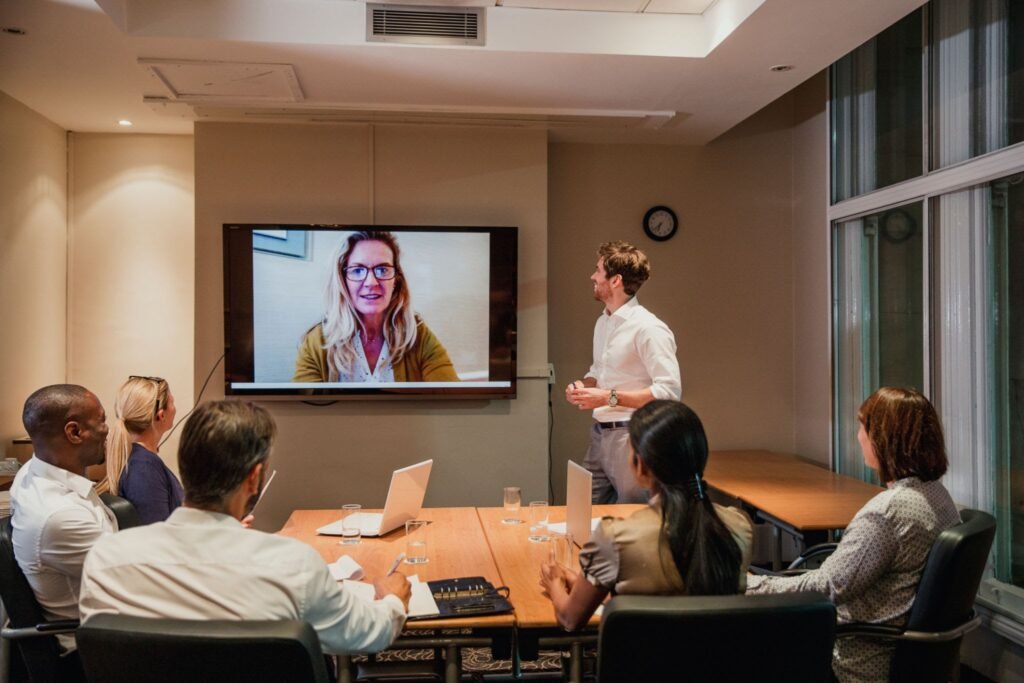
A technology called “video conferencing” enables live audio and visual communication between two or more individuals over a network or internet connection. Typically, cameras allow participants to see one another, and microphones, speakers, and headphones are used for communication.
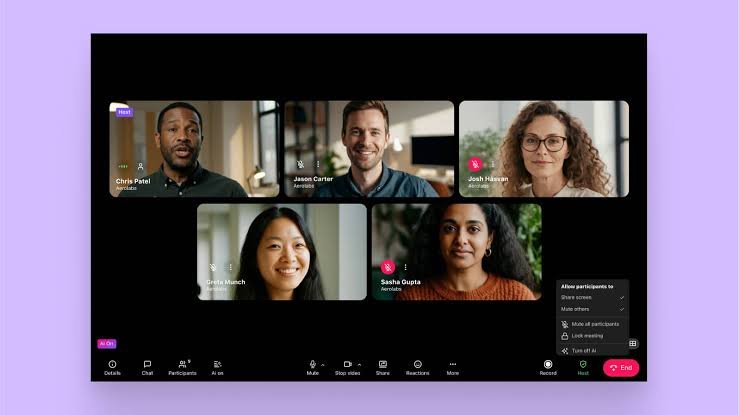
Additional features including screen sharing, text chat, virtual backdrops, conference recordings, file sharing, captions, polls, breakout rooms, and collaborative whiteboards are frequently offered by contemporary video conferencing solutions. With the help of these capabilities, a straightforward video conversation can become a fully functional virtual meeting space.
How Does Video Conferencing Work?
The collaboration of multiple technologies is essential to video conferencing. Initially, a microphone records sounds and a camera records the participant’s image. These impulses are transformed by the gadget into digital data that may be sent via a network.
After passing across the internet to the video conferencing provider, the data is sent to the other participants. Their devices play the audio while decoding the data and displaying the video.
Types of Video Conferencing
There are numerous applications for video conferencing. The number of attendees, the meeting’s goal, and the communication needs all influence the best structure.
One-to-One Video Calls
A one-to-one video call uses live voice and video to link two individuals. It is among the most basic types of video conferencing.
This format is frequently used by people for private talks, interviews, consultations, tutoring sessions, and business discussions. The conversation can feel more concentrated and organic when there are just two people participating.
Group Video Meetings
Multiple people can participate in the same virtual meeting with group video sessions. Businesses, schools, organizations, and community groups all make extensive use of this format.
Webinars and Large Online Events
Larger audiences are the target audience for webinars. While many people watch or engage via chat, questions, polls, or other features, a few presenters may talk.

Key Features of Video Conferencing Software
Beyond simple video calls, modern video conferencing software provides much more. Although the functionality offered by various platforms vary, a number of features have become standard.
HD Video and Audio
Online meetings can be made easier to follow with high-quality audio and video. Even a well-planned meeting can become frustrating due to bad audio, so clear sound is especially crucial.
Screen Sharing
Participants can show their PC or mobile device screen to others through screen sharing. When presenting documents, showcasing software, outlining a procedure, or instructing a class, this is helpful.
Text Chat
Participants can send written messages via meeting chat without interfering with the speaker. It can be used to exchange brief information, ask questions, and share links.
Meeting Recording
Organizations can record meetings to review at a later time. Training sessions, presentations, interviews, and instructional workshops can all benefit from this.
Virtual Backgrounds
Users can change or blur the background with virtual backgrounds. When someone joins from a home or other casual setting, this can assist create a more professional look.
Breakout Rooms
A larger meeting is divided into smaller groups using breakout rooms. This tool can be very helpful for team discussions, training, workshops, and education.

Benefits of Video Conferencing
Convenience is one of the main benefits of video conferencing. Meetings can be attended from homes, workplaces, classrooms, or other appropriate venues.
Saves Time
Participants in traditional meetings might have to travel to a particular venue. A large portion of the travel time can be eliminated with online meetings. It may now only take a few minutes to attend a meeting that used to require hours of travel.
Reduces Travel Costs
By holding meetings virtually, organizations can cut part of their travel costs. It might not be necessary for businesses to dispatch workers to different cities or nations for every conversation.
Supports Remote Work
A significant component of remote and hybrid work is video conferencing. Even when they work remotely, employees can still communicate with bosses, coworkers, clients, and partners..
Improves Collaboration
Real-time decision-making, screen sharing, document review, and concept discussion are all possible for teams. When personnel are geographically dispersed, this can facilitate collaboration.
Expands Access
People who might not be able to attend a face-to-face meeting can be connected through video conferencing. Students, professionals, patients, and those who live far from large cities can all profit from this.
Video Conferencing for Business
Among the biggest consumers of video conferencing technology are businesses. Online meetings are used by businesses for internal communication, customer support, training, sales presentations, interviews, and teamwork.
Video Conferencing for Education
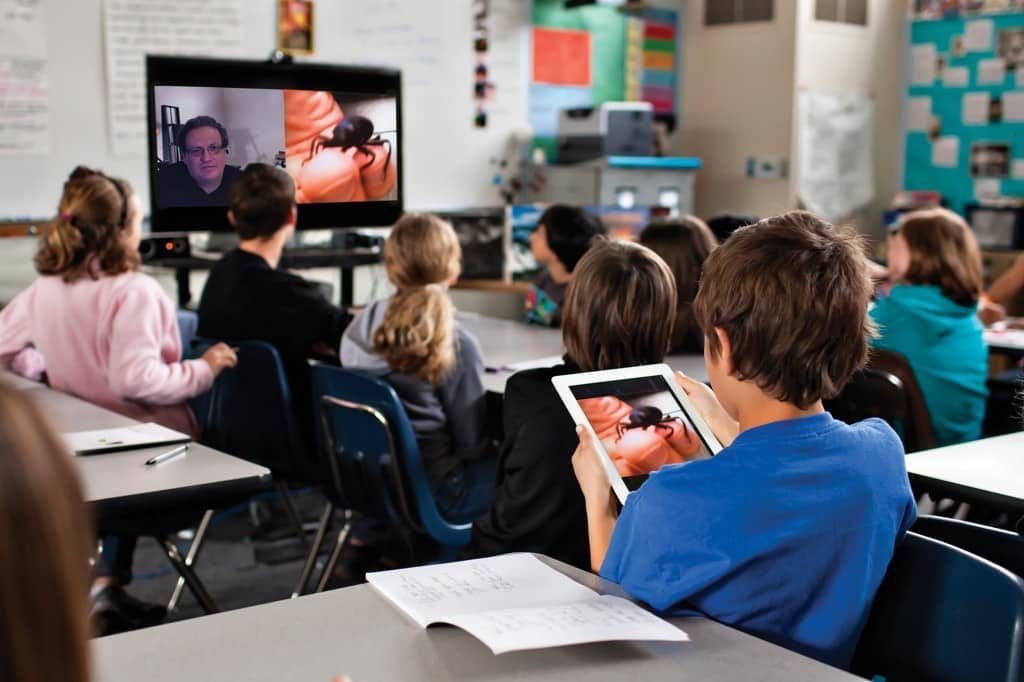
Online communication tools have revolutionized education. Video conferencing can be used by training organizations, colleges, universities, tutors, and schools to deliver classes remotely.
While students ask questions and take part in conversations, teachers can use live presentations to illustrate concepts. Teachers can show presentations, webpages, documents, or instructional software by using screen sharing.
Guest lectures can also be supported by video conferencing. Students can hear from an expert from a different city or nation without having to travel to the school.
Video Conferencing in Healthcare
For some types of remote consultation and communication, healthcare companies can use video conferencing. Patients may be able to contact with medical professionals via telehealth services without ever having to visit a clinic.
Not all medical examinations should be replaced by video conferencing. Certain circumstances call for emergency care, diagnostic testing, or physical examinations.
Video Conferencing for Remote Work
Video conferencing has become a crucial component of many professional workflows due to remote work. Workers can participate in training classes, daily meetings, project discussions, and one-on-one interactions from the comfort of their own homes.
Video conferencing is typically used in conjunction with other communication technologies by successful remote teams. Online meetings can be enhanced with cloud storage, shared documents, project management software, email, and messaging.
Popular Video Conferencing Tools
For both people and corporations, there are numerous video conferencing platforms accessible. The number of participants, necessary features, budget, security needs, and current software environment all influence the best choice.
| Feature | Basic Video Meeting | Professional Video Platform | Large-Scale Webinar |
|---|---|---|---|
| Video calls | Yes | Yes | Yes |
| Group meetings | Limited or available | Yes | Yes |
| Screen sharing | Often available | Yes | Yes |
| Meeting chat | Often available | Yes | Yes |
| Recording | Platform dependent | Often available | Often available |
| Breakout rooms | Platform dependent | Often available | Platform dependent |
| Large audiences | Limited | Available depending on plan | Designed for large audiences |
How to Choose Video Conferencing Software
It takes more than just counting features to select the best video conferencing software. An organization should first determine what it truly needs.
A straightforward platform with dependable audio, video, screen sharing, and chat might be sufficient for a small team. Advanced administration, security controls, integrations, recording, analytics, and support for larger meetings may all be necessary for a large corporation.
Security should be taken into account as well. Organizations should examine administrative features, privacy policies, encryption techniques, access controls, and authentication alternatives.
Advantages and Disadvantages of Video Conferencing
Video conferencing offers significant advantages, but it also has limitations.
| Advantages | Disadvantages |
|---|---|
| Saves travel time | Requires reliable internet |
| Reduces some travel costs | Technical problems can occur |
| Supports remote work | Long meetings can cause fatigue |
| Enables global collaboration | Privacy concerns may exist |
| Supports online education | Participants may become distracted |
| Makes communication more visual | Some communication feels less natural |
Video Conferencing Security and Privacy
A crucial component of contemporary online communication is security. Risks including unwanted participation, information leakage, and illegal access might arise from a meeting that is not well secured.
Attention must also be paid to privacy. While meeting records may include private conversations, cameras may disclose details about an individual’s surroundings. The handling of recordings and other meeting material should be clear to participants.
Tips for Better Online Meetings
A successful meeting cannot be ensured by good technology alone. Effective communication habits are also necessary for participants.
Make a clear agenda and determine the goals of the meeting before it starts. Only those who must participate should be invited.
Encourage attendees, particularly those in bigger gatherings, to turn off their microphones while they are not speaking. Clear communication and avoiding needless interruptions are important for speakers.
Common Problems With Video Conferencing
One of the most frequent challenges is technical issues. Unexpected disconnections, delayed audio, and frozen video can all result from a poor internet connection.
Another common problem is microphone malfunctions. Participants could unintentionally utilize a microphone that creates confusing sound or stay muted.
Attending online meetings for extended periods of time can also lead to video conferencing tiredness. By minimizing pointless meetings and permitting appropriate intervals in between sessions, organizations can lessen this issue.
Future of Video Conferencing
More integration with automation, artificial intelligence, immersive technology, and collaborative platforms is probably in store for video conferencing in the future.
AI-powered solutions may be able to help with activities including information retrieval, translation, action-item identification, transcription, and meeting summaries. After a meeting, these features can minimize the amount of human labor needed.
Future video conferences should aim for more than just better video quality. Improving communication’s naturalness, accessibility, security, and productivity will probably be the most beneficial changes.

Conclusion
The use of video conferencing has grown significantly in contemporary communication. Without physically being in the same place, it enables individuals to interact, work together, teach, learn, offer services, and sustain relationships.
Time savings, lowering travel expenses, facilitating remote work, enhancing teamwork, and increasing communication availability are some of its main advantages. Healthcare organizations can use it for suitable remote services, businesses utilize it for meetings and client relations, and educational institutions use it for online learning.