
Introduction
Instant messaging has become one of the most popular ways to communicate in the digital world. People use messaging applications every day to talk with friends, contact family members, communicate with colleagues, share photographs, and exchange important information. Unlike traditional letters and many forms of email communication, instant messaging allows users to exchange messages within seconds through an internet connection.
Today, instant messaging is an important part of personal communication, education, business, healthcare, and online services. Applications such as WhatsApp, Facebook Messenger, Telegram, Signal, and Google Chat have changed how people interact with each other. They offer useful features such as group conversations, voice messages, video calls, file sharing, emojis, and message notifications.
The popularity of this technology continues to grow as smartphones and internet services become more accessible. According to Statista’s 2026 reporting, 94.1% of internet users worldwide accessed online chat and messaging applications monthly in the second quarter of 2026. This demonstrates how deeply messaging technology has become integrated into everyday digital activities.

What Is Instant Messaging?
Instant Messaging (IM) is a digital communication technology that allows people to send and receive messages through the internet in real time or near real time. It enables two or more users to communicate using smartphones, computers, tablets, and other internet-connected devices.
Unlike traditional SMS, which generally uses mobile network messaging services, internet-based instant messaging applications transmit messages through internet connections. Users can exchange text, images, videos, documents, voice notes, and other digital content without relying on conventional SMS services.
Instant messaging is useful for both personal and professional communication. Individuals use it to stay connected with friends and family, while businesses use messaging platforms to communicate with employees, customers, and business partners.
How Does Instant Messaging Work?
Instant messaging works through an internet connection and messaging software. When someone sends a message, the application transfers the information through its communication infrastructure to the intended recipient.
Most messaging services use servers to manage accounts, deliver messages, and coordinate communication between users. Push notifications can alert recipients when new messages arrive, even when they are not actively using the application.
For example, when you send a message through WhatsApp, the application processes your message and delivers it to the recipient through its internet-based messaging system. The recipient can then open the conversation and respond.
The basic process includes:
- A user opens a messaging application.
- The user selects a contact or group.
- The user writes a message or attaches digital content.
- The application sends the information through its network.
- The recipient receives the message and can reply.
- Personal Instant Messaging
Personal instant messaging is one of the most common types of digital communication. It allows individuals to communicate with friends, relatives, classmates, and other contacts through messaging applications.
People use personal messaging to share everyday information, discuss important matters, exchange photographs, and maintain relationships. It provides a convenient alternative to traditional phone calls because users can communicate without requiring both people to participate at exactly the same time.
Applications such as WhatsApp, Facebook Messenger, Telegram, and Signal offer personal messaging services. Users can create individual conversations, send voice notes, share locations, and participate in group discussions.
Personal instant messaging is particularly useful for people who live far away from their families and friends. They can exchange messages and photographs regularly without spending money on international SMS services.
Examples and Uses of Personal Instant Messaging
WhatsApp: WhatsApp allows users to send text messages, share photographs, exchange documents, and make voice and video calls.
Facebook Messenger: Messenger provides private conversations, group chats, voice messages, and multimedia sharing.
Telegram: Telegram offers cloud-based messaging, group conversations, channels, and file-sharing features.
Signal: Signal focuses on private communication and offers end-to-end encrypted messaging and calling.
Personal instant messaging helps people maintain relationships, share experiences, and communicate conveniently throughout the day.

Business Instant Messaging
Business instant messaging refers to messaging technology used by organizations to improve workplace communication and collaboration. It helps employees exchange information, discuss projects, share documents, and coordinate daily responsibilities.
Traditional business communication often depends on emails and scheduled meetings. However, instant messaging provides a faster way to discuss routine questions and share quick updates. Employees can communicate with team members without arranging lengthy meetings for every small issue.
Businesses use messaging applications to support remote work, manage projects, communicate with customers, and improve teamwork. Some platforms also include task management, file sharing, meeting scheduling, and integration with business software.
For example, a marketing team can use a messaging platform to discuss advertising campaigns, share reports, and coordinate deadlines. Similarly, customer support departments can use business messaging tools to respond to customer questions.
Workplace Communication
Business messaging platforms provide useful tools for professional communication.
Microsoft Teams: Microsoft Teams offers workplace messaging, group conversations, file sharing, and online meetings.
Slack: Slack allows employees to communicate through channels, direct messages, and organized project discussions.
Google Chat: Google Chat supports individual and group conversations and integrates with other Google Workspace services.
Zoom Team Chat: Zoom provides messaging features that help employees communicate and collaborate.
Business instant messaging saves time, improves coordination, and makes it easier for employees to share information. However, organizations should establish communication policies to prevent unnecessary notifications and protect confidential business information.
Mobile Instant Messaging
Mobile instant messaging refers to communication through messaging applications installed on smartphones and tablets. It allows users to exchange messages whenever they have access to a suitable internet connection.
Mobile messaging has become extremely popular because smartphones are portable and convenient. People can communicate while traveling, studying, working, shopping, or relaxing at home.
Most mobile messaging applications support more than simple text communication. Users can send photographs, record voice messages, share videos, make calls, and participate in group conversations.

Popular Mobile Messaging Apps
- WhatsApp: WhatsApp is widely used for personal and business communication. It supports text messages, voice calls, video calls, group chats, and media sharing.
- Telegram: Telegram offers mobile messaging, large groups, channels, and cloud-based synchronization.
- Signal: Signal provides private messaging and encrypted communication features.
- Facebook Messenger: Messenger connects users through individual conversations, group chats, and multimedia communication.
- WeChat: WeChat combines messaging with social networking and other digital services, particularly in China.
Mobile instant messaging has made communication more flexible. People can stay connected without depending on desktop computers or traditional communication systems.
Web-Based Instant Messaging
Web-based instant messaging allows users to communicate through internet browsers without necessarily installing a separate desktop application.
Users can open a messaging website, sign in to their accounts, and exchange messages using a computer or another supported device. This makes web-based messaging useful for people who work on different computers or prefer browser-based communication.
Online Messaging Platforms
WhatsApp Web: WhatsApp Web allows users to access their WhatsApp conversations through a supported web browser.
Facebook Messenger: Users can access Messenger conversations through its website and communicate with their contacts.
Google Chat: Google Chat provides browser-based communication for personal and professional use.
Discord: Discord supports text-based channels, direct messages, and community communication through its web interface.
Secure Instant Messaging
Secure instant messaging focuses on protecting private conversations and digital information. It uses security technologies and privacy controls to reduce the risk of unauthorized access.
People exchange personal information, business documents, photographs, and other sensitive content through messaging applications. Therefore, protecting these conversations is an important part of modern digital communication.
Privacy and Encryption
End-to-End Encryption: This security technology is designed to ensure that only the communicating participants can read protected message content.
Two-Factor Authentication: This feature adds another verification step when users access their accounts.
Disappearing Messages: Some applications allow messages to disappear automatically after a selected period.
Account Privacy Controls: Users can manage profile visibility, online status, contact permissions, and other privacy settings.
Device Security: Screen locks, strong passwords, and updated operating systems help protect messaging accounts.
Signal and WhatsApp are examples of messaging applications that provide end-to-end encrypted personal conversations by default. Users should still understand each platform’s backup and privacy settings.

7 Important Benefits of Instant Messaging
- Fast Communication
One of the biggest benefits of instant messaging is speed. Users can send messages and receive responses within seconds when internet connectivity and service availability allow.
This is especially useful when people need to share quick updates, ask questions, or communicate important information. Instead of waiting for someone to read an email, users can often receive an immediate notification.
- Cost-Effective Communication
Instant messaging can reduce communication costs because many applications use internet connections instead of traditional SMS services.
Users can exchange text messages, photographs, documents, and voice messages without paying a separate SMS charge for every message. However, internet data charges may still apply.
- Easy File Sharing
Modern messaging applications allow users to share different types of digital files. They can send photographs, videos, documents, presentations, and other attachments.
This feature is useful in education and business. Students can exchange study materials, while employees can share reports and project documents.
- Better Team Collaboration
Instant messaging helps teams communicate and coordinate their work. Employees can create group conversations, discuss project updates, ask questions, and share information.
For example, a software development team can use messaging channels to discuss programming tasks and report technical problems. A marketing team can share campaign ideas and coordinate advertising activities.
- Supports Remote Communication
Remote workers and online students often depend on instant messaging to communicate with other people.
Employees can discuss assignments with colleagues without being physically present in an office. Students can ask questions, share notes, and participate in online study groups.
- Convenient Group Communication
Group messaging allows several people to participate in one conversation. It is useful for families, friends, students, employees, and community organizations.
For example, teachers can create class groups to share announcements, while companies can establish project groups to coordinate activities.
Instead of sending the same message separately to many people, users can communicate with an entire group at once.
- Supports Multimedia Communication
Instant messaging is no longer limited to written messages. Many applications support voice notes, photographs, videos, stickers, emojis, and voice or video calls.
These features help people communicate ideas and emotions more effectively. A student can share a photograph of a difficult mathematics problem, while an employee can send a short video explaining a project update.
Important Features of Instant Messaging
Modern instant messaging applications include several features that improve the user experience.
Text Messaging
Text messaging is the basic feature of instant messaging. It allows users to exchange written messages quickly through the internet.
Voice Messages
Voice messaging allows users to record and send audio instead of typing. It is useful when someone wants to explain something in detail or cannot type comfortably.
Video and Voice Calls
Many messaging platforms provide audio and video calling. These features allow users to communicate through live conversations.
Group Chats
Group chats allow multiple participants to communicate in one conversation. They are commonly used by families, classmates, employees, and online communities.
Read Receipts and Notifications
Some applications show whether a message has been delivered or read. Notifications also help users know when new messages arrive.
File and Media Sharing
Users can exchange images, videos, documents, and other supported files. File size limits and supported formats vary between platforms.
Uses of Instant Messaging in Different Industries
- Education
Schools, colleges, and universities use messaging platforms to communicate with students and teachers. They can share announcements, discuss assignments, organize group projects, and provide learning support.
- Healthcare
Healthcare organizations may use secure messaging systems to coordinate administrative activities, communicate with healthcare teams, and manage certain patient-related workflows. Sensitive medical information requires suitable privacy protections and authorized communication systems.
- Business
Businesses use instant messaging to coordinate employees, communicate with customers, share documents, and manage projects.
- Customer Service
Companies use messaging tools to answer customer questions, provide product information, and resolve common service issues.
- Banking and Financial Services
Financial organizations may use secure messaging channels to provide customer support, share account-related notifications, and communicate service information. Users should avoid sharing passwords, PINs, and verification codes through ordinary chat conversations.

Challenges and Security Risks of Instant Messaging
Although instant messaging offers many benefits, it also has some challenges. Understanding these risks helps users communicate more safely.
Privacy Concerns: Some applications collect personal information and usage data. Users should review privacy policies and account settings before sharing sensitive information.
Cybersecurity Threats: Phishing links, malicious files, impersonation, and account theft can create security problems. Users should avoid opening suspicious links and attachments.
Distractions: Frequent notifications can interrupt studying, working, and other important activities. Managing notifications and setting communication boundaries can help.
Miscommunication: Written messages sometimes lack facial expressions and vocal tone. This can cause misunderstandings between users.
Internet Dependency: Most internet-based instant messaging services require an internet connection. Poor connectivity can delay communication or prevent messages from being delivered.
Information Overload: Large group conversations can produce too many messages and notifications. Organizing conversations and muting unnecessary groups can improve the experience.
Future Trends in Instant Messaging
Instant messaging continues to develop as new technologies create better communication experiences. Artificial intelligence, improved privacy systems, automation, and advanced multimedia features are shaping the future of messaging applications.
- Artificial Intelligence Integration
Artificial intelligence is becoming an important feature in modern communication platforms. AI-powered tools can help users summarize conversations, suggest replies, translate messages, and organize information.
These features may make messaging faster and more productive.
- Improved Security and Privacy
Privacy will remain an important priority for messaging platforms. Developers are continuing to improve encryption, account protection, authentication, and security controls.
Future messaging services may provide more flexible privacy options and stronger protection against unauthorized access.
- Smart Chatbots
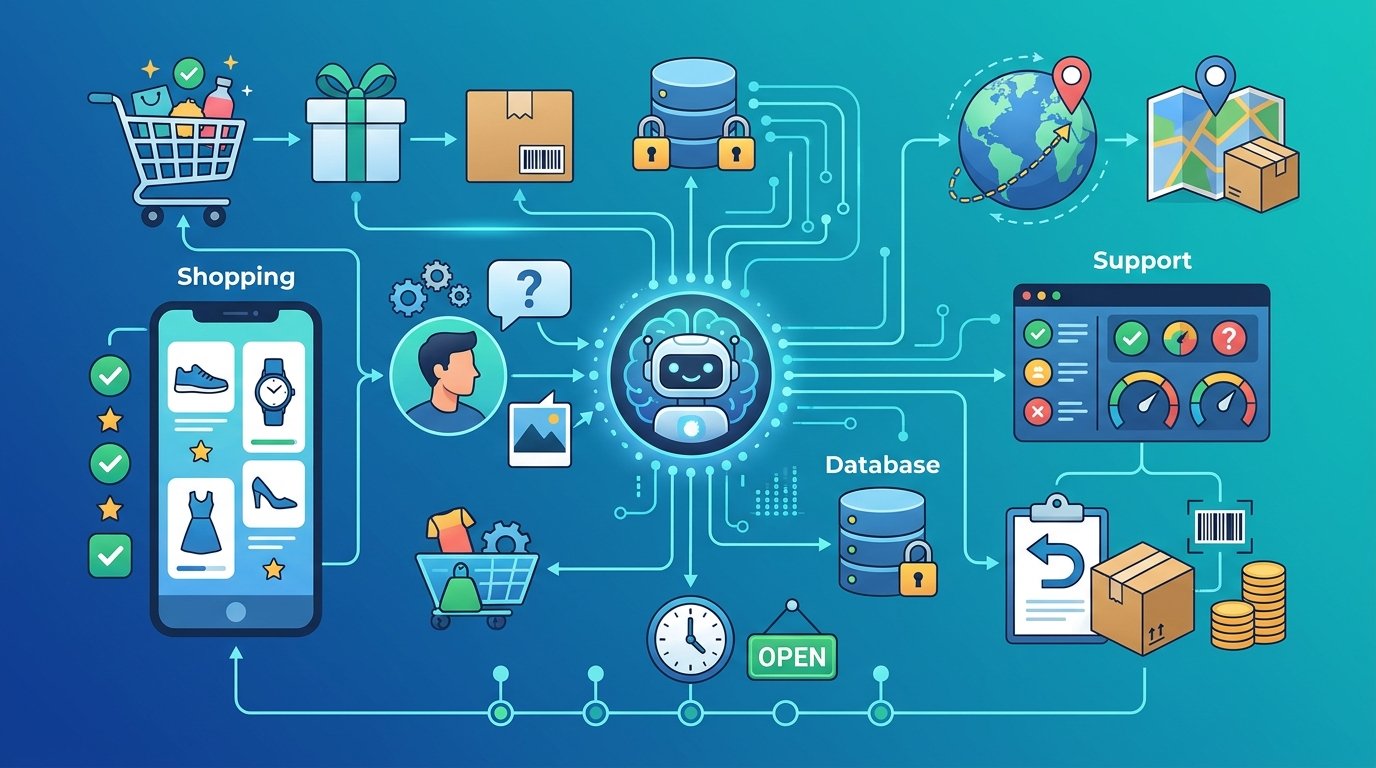
Chatbots can answer common questions and provide automated support through messaging platforms. Businesses can use them to help customers find information, track orders, and access basic services.
AI-powered chatbots may also provide more natural and personalized conversations.
- Better Video and Audio Communication
Messaging platforms are likely to continue improving voice and video communication. Better audio quality, video performance, and collaboration features can make online conversations more effective.
- Cross-Platform Messaging
Users increasingly communicate through different devices and operating systems. Improved cross-platform compatibility can make it easier to access conversations across smartphones, tablets, and computers.
- Automatic Language Translation
Translation technology can help people communicate across language barriers. Messaging applications may increasingly provide real-time translation tools that make international communication easier.
- Business Automation
Businesses may use messaging platforms to automate customer support, appointment reminders, order updates, and other routine communication activities.

Conclusion
Instant messaging is an important category of communication technology that has transformed how people exchange information. It allows users to send messages, share files, make calls, and communicate with individuals and groups through internet-connected devices.
The five major types discussed in this article are personal instant messaging, business instant messaging, mobile instant messaging, web-based instant messaging, and secure instant messaging. Each type serves different communication needs.
Frequently Asked Questions (FAQs)
- What is instant messaging?
Instant messaging is a digital communication service that allows people to exchange text messages and multimedia content through the internet in real time or near real time.
- What are the five types of instant messaging?
Five useful categories are personal instant messaging, business instant messaging, mobile instant messaging, web-based instant messaging, and secure instant messaging.
- What are some examples of instant messaging applications?
Popular examples include WhatsApp, Telegram, Signal, Facebook Messenger, Microsoft Teams, Slack, and Google Chat.
- What are the main benefits of instant messaging?
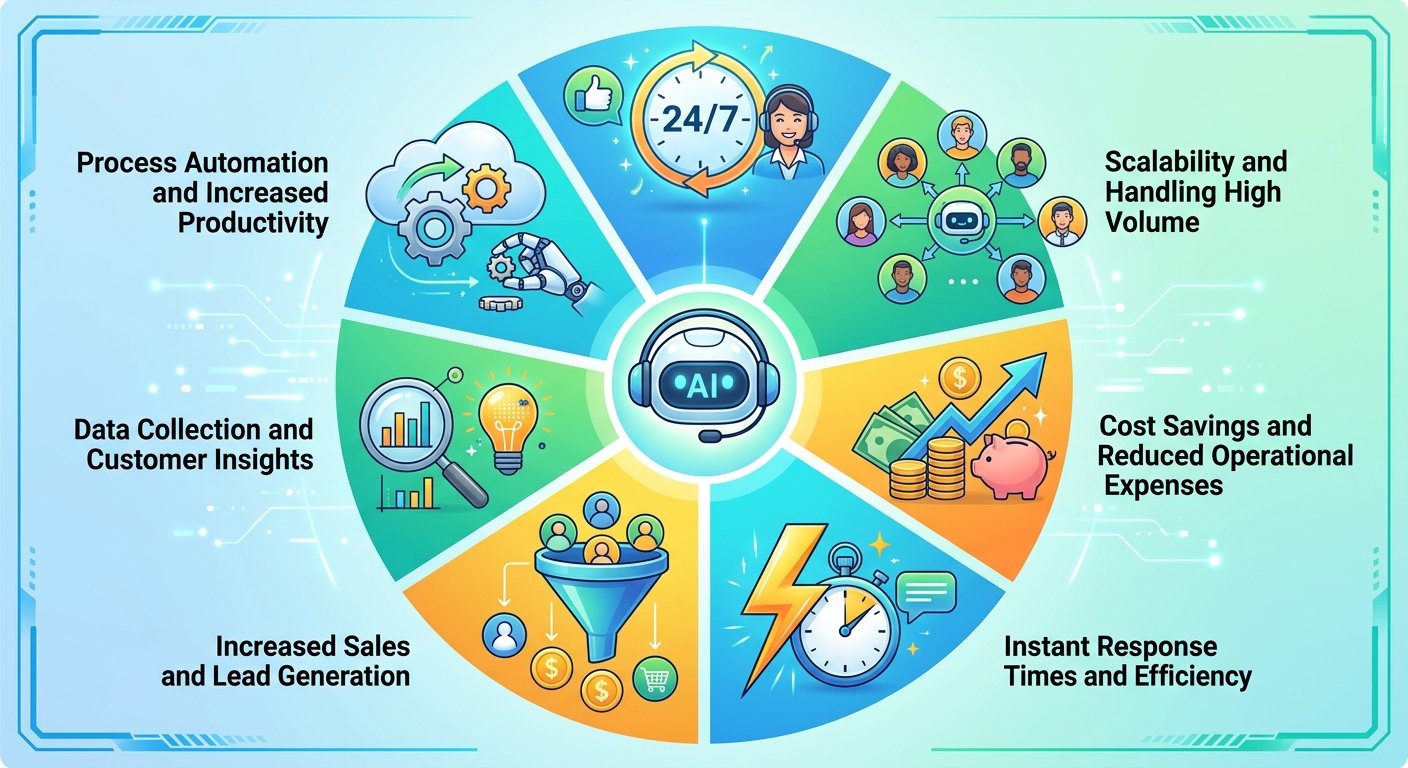
Its main benefits include fast communication, cost savings, file sharing, teamwork, remote communication, group conversations, and multimedia sharing.
- Is instant messaging safe?
Instant messaging can be safe when users choose trustworthy applications, use available security features, protect their accounts, and avoid suspicious links. However, no messaging platform should be assumed to be completely risk-free.